43
OPTIONAL OPERATIONS
ALIGNMENT AND MEASUREMENT
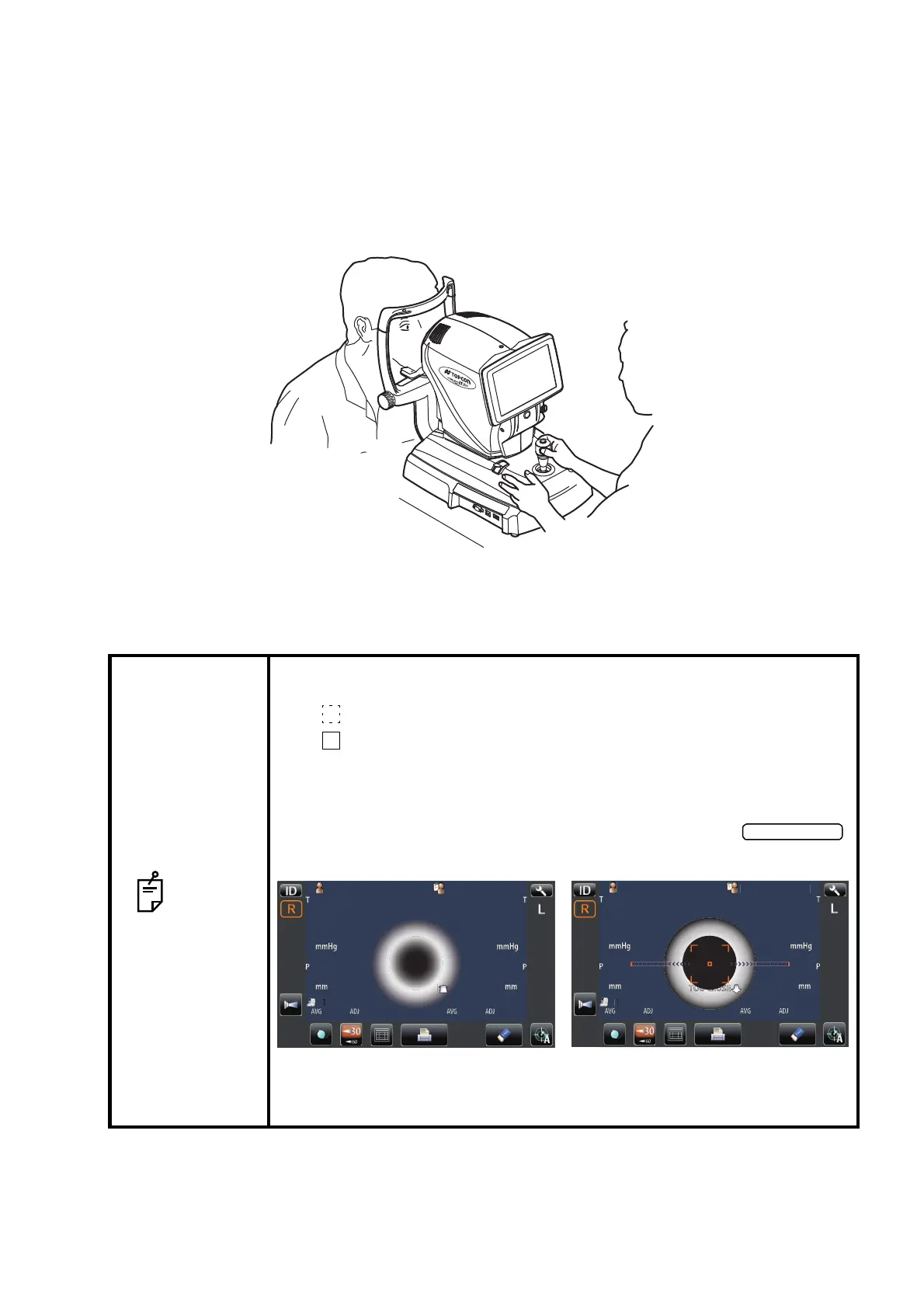
Alignment is operated on the control panel.
For the adjustment of main body using the control lever, refer to page 31.
1 Use the base stopper to release the main body.
2 Hold the control lever and move the main body to the operator side.
3 Operate the control lever laterally and vertically to obtain the target eye in the center of control
panel.
NOTE
• Depending on the alignment condition, the alignment mark is displayed
differently:
: When alignment is insufficient/out of the measuring range
: When alignment is within the measuring range in all directions
(front/rear, right/left, top/bottom)
• When the measuring head is at the limit of movement in the forward direc-
tion, "TOO CLOSE" is displayed and when it is at the limit of movement in
the backward direction, "TOO FAR" is displayed. Using the ,
move the measuring head to a position where aligning is possible.
• As the main body approaches the patient, focus of measurement screen
changes.
P
tientI
PatientID
1
TOPCON
ARO
TOPCONTAROU
TOOFAR
PatientI
TOPCON
ARO
Limit of movement in the backward direction Limit of movement in the forward direction



 To Next Page