ISOCAN / ISOBUS ARTEMIS - SEED DRILL CONTROLLER
32
6.4.3 Sensor Setup
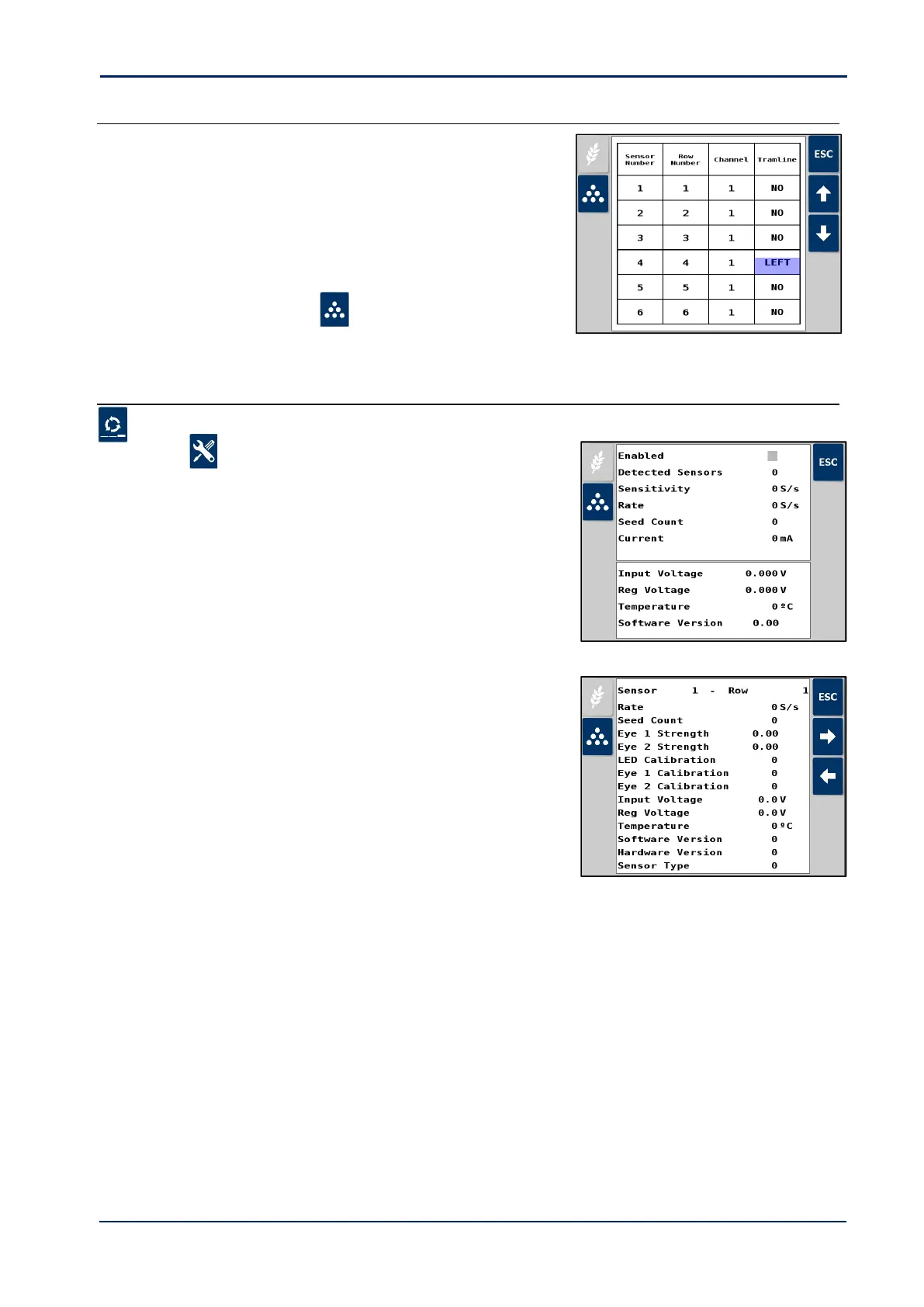
6. Press ESC, select “2. Sensor Setup”.
7. Map each sensor as follows,
Set corresponding row number
Set channel 1, 2, 3, or 4 (prevents false alarms when drilling
half-width or with auto-section control).
Set if a tramline row “Left” or Right” (prevents false alarms
on tramline bouts).
8. Repeat for the fert sensors ( ) as necessary.
6.4.4 Diagnostics
1. Cycle to the Blockage Sensor screen that now appears as one of the primary screen pages.
2. Press , then select either “3. ECU Diagnostics”
or “4. Sensor Diagnostics”



 To Next Page