Phoenix Pro User Manual
28
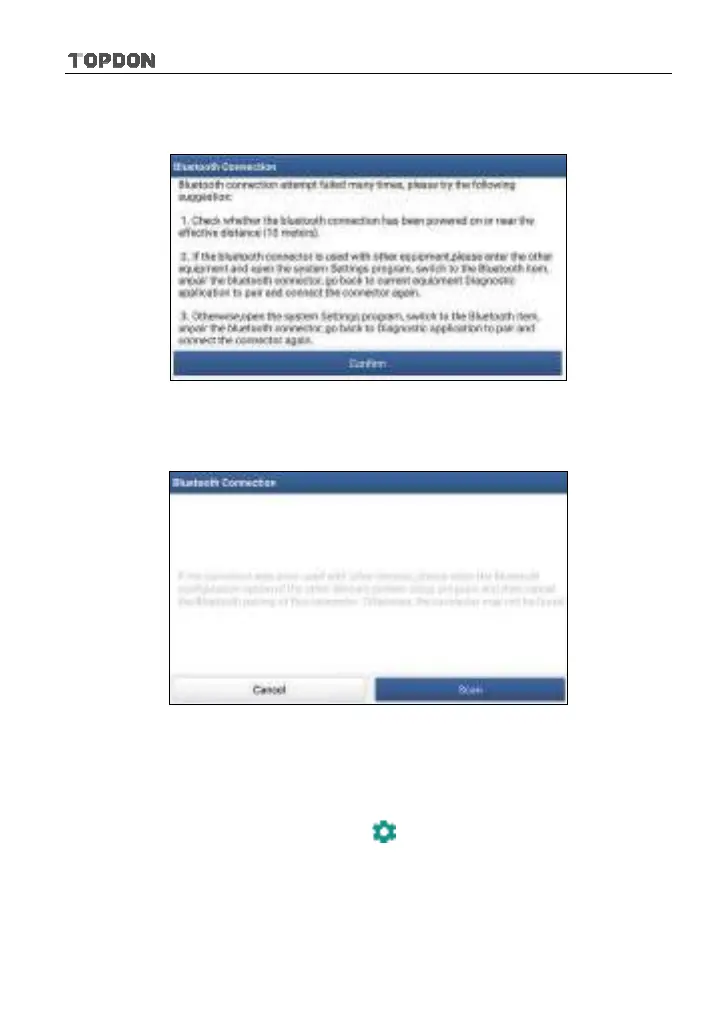
*Note: If the VCI connector is not paired up with the Phoenix Pro handset before doing
this step, a prompt message box will appear:
Fig. 5-2
Check all the possible reasons of Bluetooth connection failure carefully, and then tap
“Confirm”.
Fig. 5-3
If the VCI connector was once used with other devices, you need to cancel the pairing
of the connector first via either one of the following ways:
•
On the Android’s home screen, tap “Settings” -> “Bluetooth” -> Choose the desired
VCI connector from the Paired list. Tap “
”, and then tap “FORGET” to unpair it.
•
Tap “Personal Center” -> “VCI Management” -> Tap “Deactivate matching”.
Tap “Scan” to start searching for the VCI connector and pairing up with it.












 To Next Page