© Copyright 2013 TRENDnet. All Rights Reserved.
TRENDnet User’s Guide
TEG-448WS
53
Add IPv6
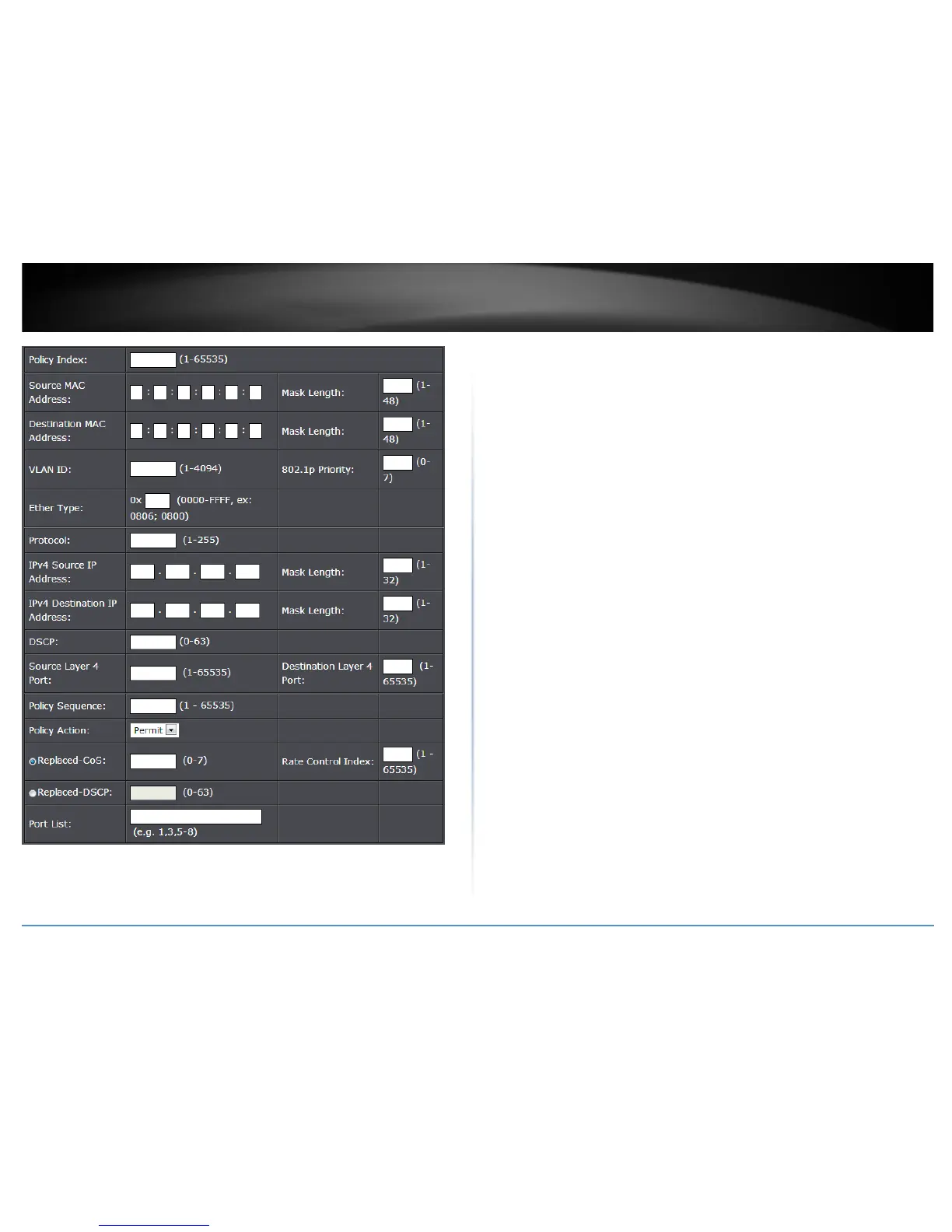
To add an IPv6 policy, use the following procedure:
• Click Add IPv6, The Policy Settings page.
• Enter a number in the Policy Index field. The Policy Index is a unique number
within the range of 1 – 65535 which identifies the policy. This field is
mandatory.
• Choose the parameters to add for the policy, and enter data one or more of the
parameters required for your policy. They are listed here:
o VLAN ID - A unique number identifying a VLAN ranging from 1 to 4094.
o 802.1p Priority - 802.1p priority level of the frame ranging from 0 to 7.
o Protocol - Indicates the packet protocol ranging from 0 to 255.
o IPv6 Source IP Address - Specifies the IPv6 Source IP address.
o Prefix Length - Indicates the length of the Source IP ranging from 1-
128.
o IPv6 Destination IP Address - Specifies the IPv6 Destination IP
address.
o Prefix Length - Indicates the length of the Destination IP ranging from
1- 128.
o Source Layer 4 Port - Indicates the source layer 4 port ranging from 1 -
65535.
o Destination Layer 4 Port - Indicates the destination layer 4 port
ranging from 1 - 65535.
o Policy Sequence: Enter a number in the Policy Sequence field. The
Policy Sequence must be a unique number within the range of 1 -
65535. This field is mandatory.
o Policy Action: In the Permit/Deny field, use the pull down menu to
select one of the following parameters:
o Deny - This selection drops ingress packets that conform to the
specified Replaced-CoS or Replaced-DSCP.
o Permit - This selection allows ingress packets that conform to the
specified Replaced-CoS or Replaced-DSCP to be processed by the
switch.
Note: You must enter a selection for Deny/Permit field even if the
Profile Action ID that you have entered ignores both the Replaced-
DSCP and Replaced-CoS fields.










 To Next Page