Wireless Travel Router 23Wireless Travel Router 23
2. AP MODE
Domain Name
Enter the domain name (optional).
Dynamic DHCP Client List window
Displays the list of DHCP clients.
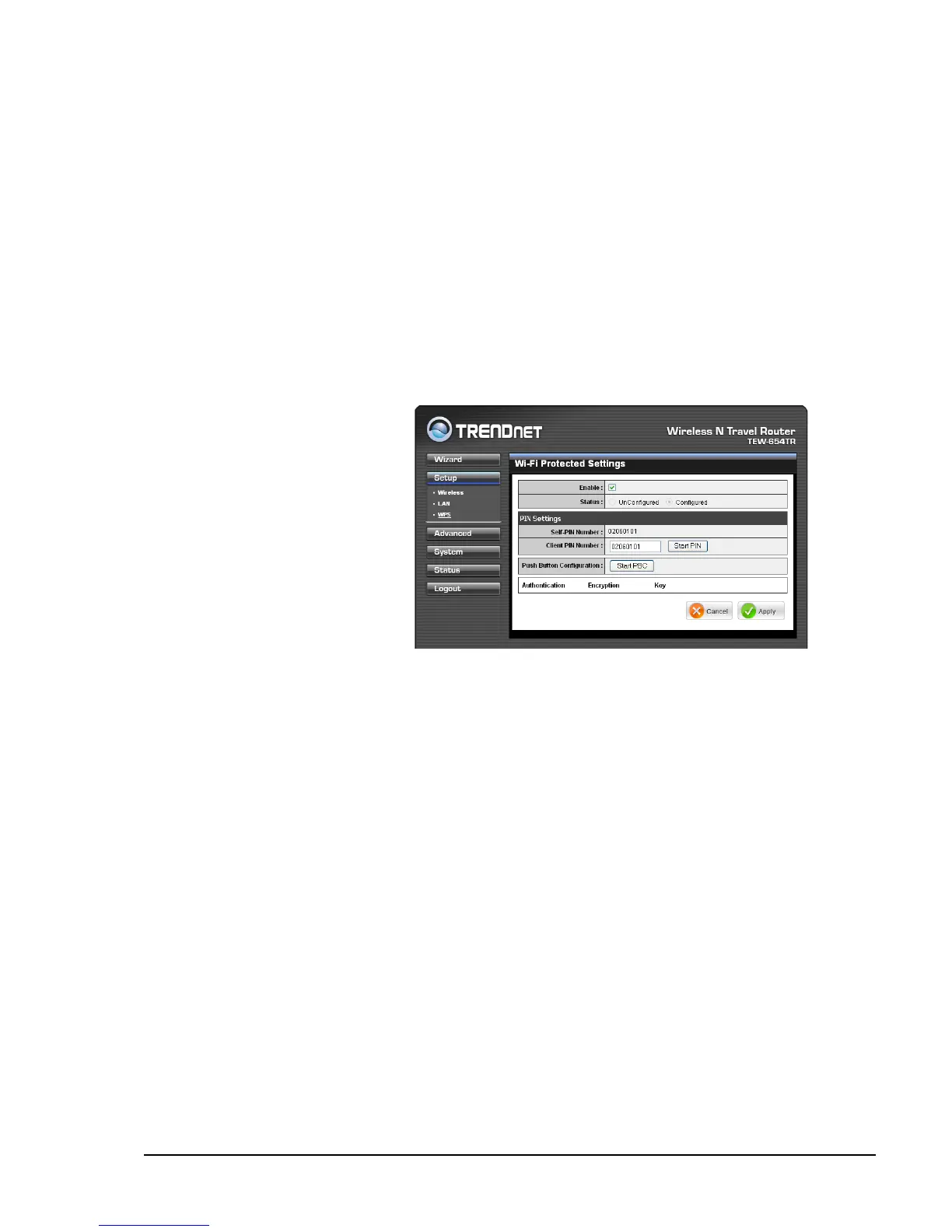
Enable
Check the box to enable WPS
function.
Status
Displays WPS status:
UnCongured or Congured.
Wi-Fi Protected Setup (WPS) Settings
Wi-Fi Protected Setup (WPS) is an optional certication program from the Wi-Fi
Alliance that is designed to ease the task of setting up and conguring security on a
wireless network.
Push Button: If the client device has a WPS button.
PIN Number: If the client device has a WPS PIN number.
Self-PIN Number
Displays the default PIN number of the travel router.
Client PIN Number
Enter the client’s PIN number. This PIN number will be used to communicate with the
travel router to connect to the network.
Start PIN
Click this button to start WPS conguration process if the client device has a WPS
PIN number.
Push Button Conguration
Click the Start PBC button to start WPS conguration process if the client device has
a WPS button.
•
•
There are 2 methods used in WPS conguration:
Once conguration is complete, click Apply to save and apply settings, or click
Cancel to cancel changes. The travel router will restart for new settings to take effect.
Once conguration is complete, click Apply to save and apply settings, or click
Cancel to cancel changes. The travel router will restart for new settings to take effect.















 To Next Page