Wireless Travel Router 63Wireless Travel Router 63
4. ROUTER MODE
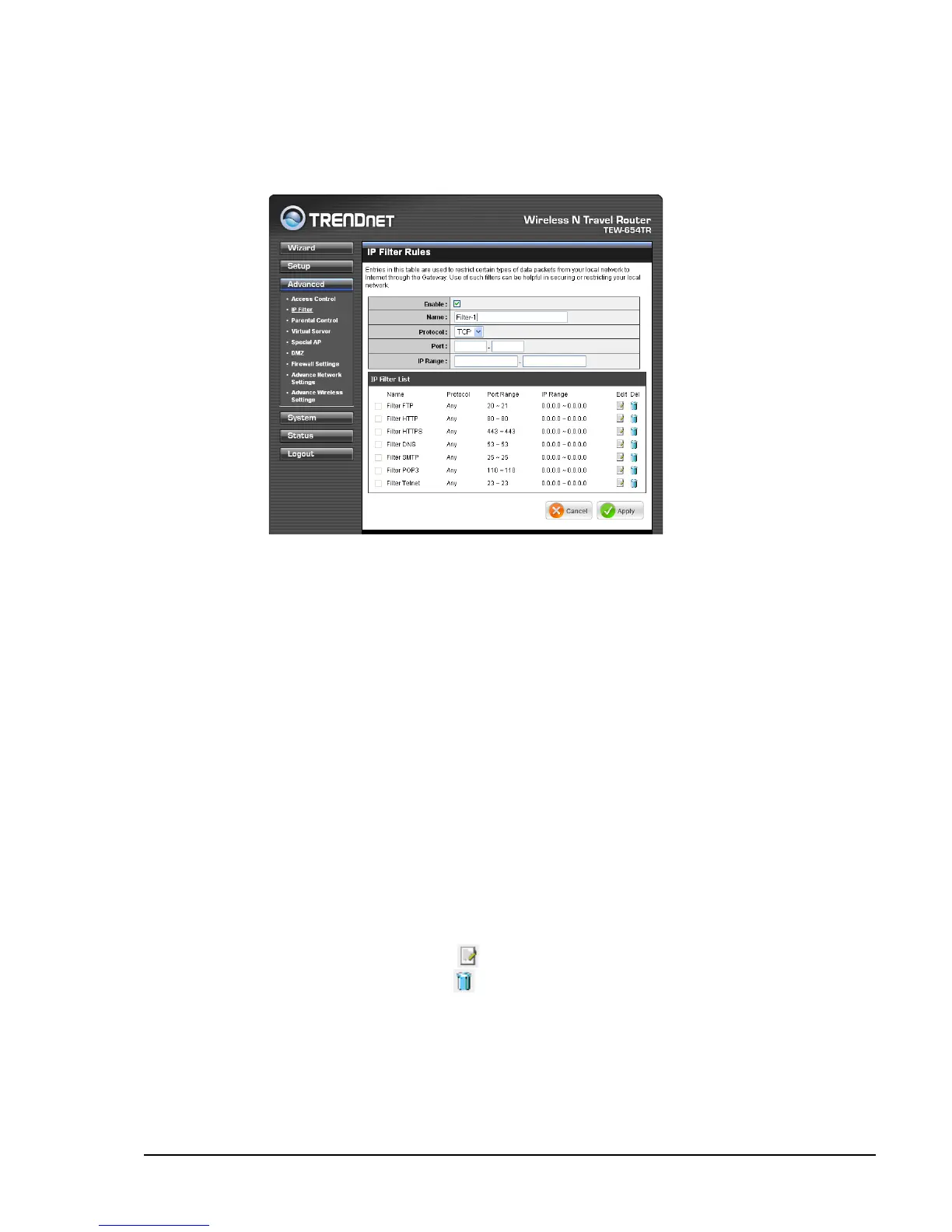
IP Filter
The IP Filter menu allows you to restrict a range of IP adresses to access the
Internet.
Enable
Check the box to enable lter. Uncheck to disable lter.
Name
Create a lter name.
Protocol
Select the type of protocol to use: TCP, UDP, or * (any).
Port
Enter the port range of the protocol.
IP Range
Enter the starting and ending IP addresses which are not allowed to access the
Internet.
IP Filter List
Displays the list of lter proles. By default, a number of proles have been created
and are all disabled. A checkmark before the lter name indicates that the prole is
enabled.
To edit a prole, click the corresponding
icon.
To delete a prole, click the correspond icon.
Once conguration is complete, click Apply to save and apply settings, or click
Cancel to cancel changes. The travel router will restart for new settings to take effect.















 To Next Page