Wireless Travel Router 59Wireless Travel Router 59
4. ROUTER MODE
is Always-on.
MTU
Adjust the MTU (Maximum Transmission Unit) for optimal performance with your ISP.
The default value is 1500.
MAC Address
Enter the MAC address of the computer that was last connected to a modem. To
enter the MAC address of your current computer, click Clone MAC Address.
Once conguration is complete, click Apply to save and apply settings, or click
Cancel to cancel changes. The travel router will restart for new settings to take effect.
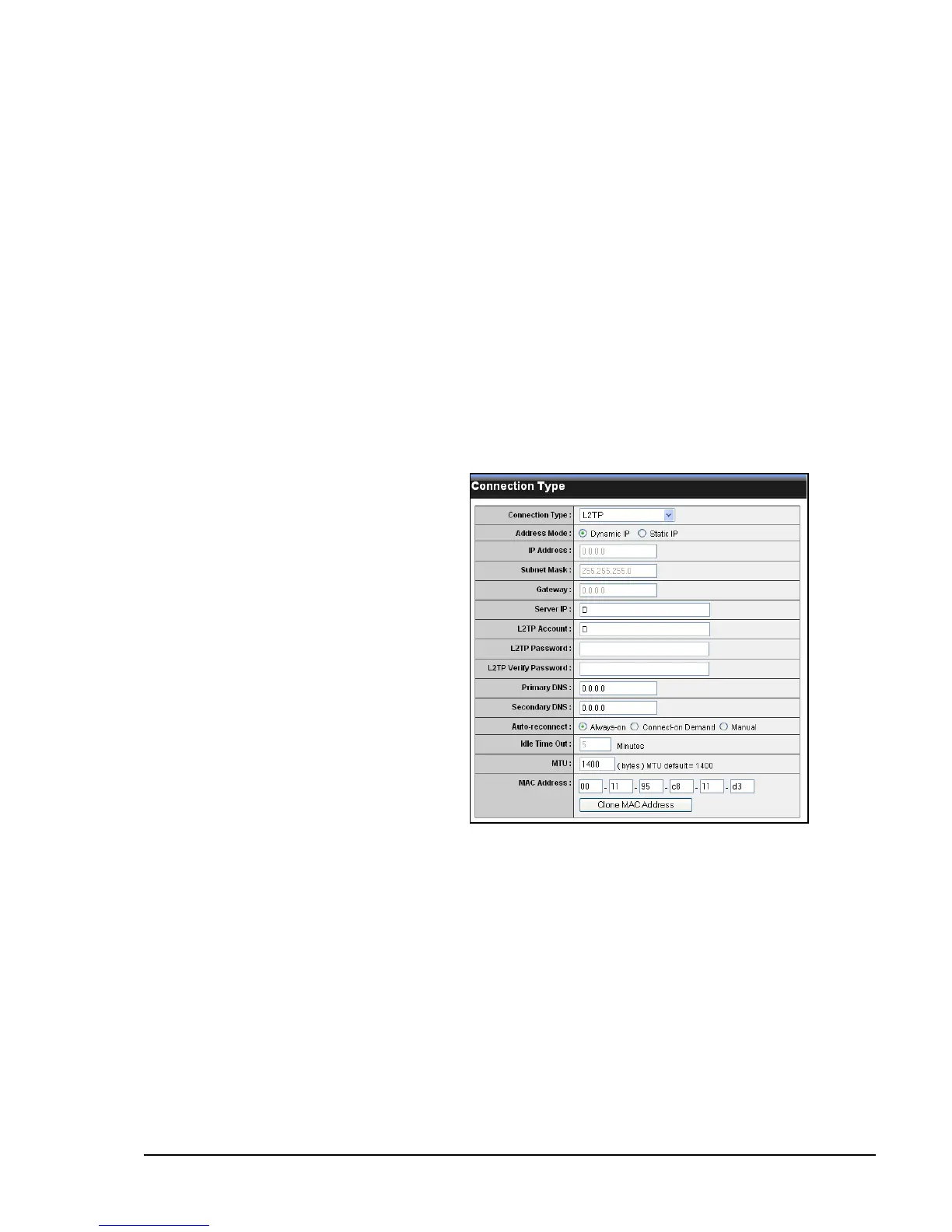
L2TP
Select L2TP (Layer 2 Tunneling Protocol) if your ISP uses an L2TP connection. Your
ISP will provided you with a user name and password.
Address Mode
Select Dynamic IP (default) or Static
IP if your ISP provided you with the IP
address, subnet mask, and DNS server
addresses.
IP Address
Enter the IP address provided by your
ISP. This eld is available only when
Access Mode is set to Static IP.
Subnet Mask
Enter the subnet mask provided by your
ISP. This eld is available only when
Access Mode is set to Static IP.
Gateway
Enter the gateway provided by your ISP.
This eld is available only when Access
Mode is set to Static IP.
Server IP
Enter the server IP address provided by your ISP.
L2TP Account
Enter the L2TP account name provided by your ISP.
L2TP Password
Enter the L2TP password provided by your ISP. Then re-enter it into the next eld.
Primary / Secondary DNS
Enter the DNS server addresses provided by your ISP.















 To Next Page