Wireless Travel Router 45Wireless Travel Router 45
3. CLIENT MODE
3.2.5 Status
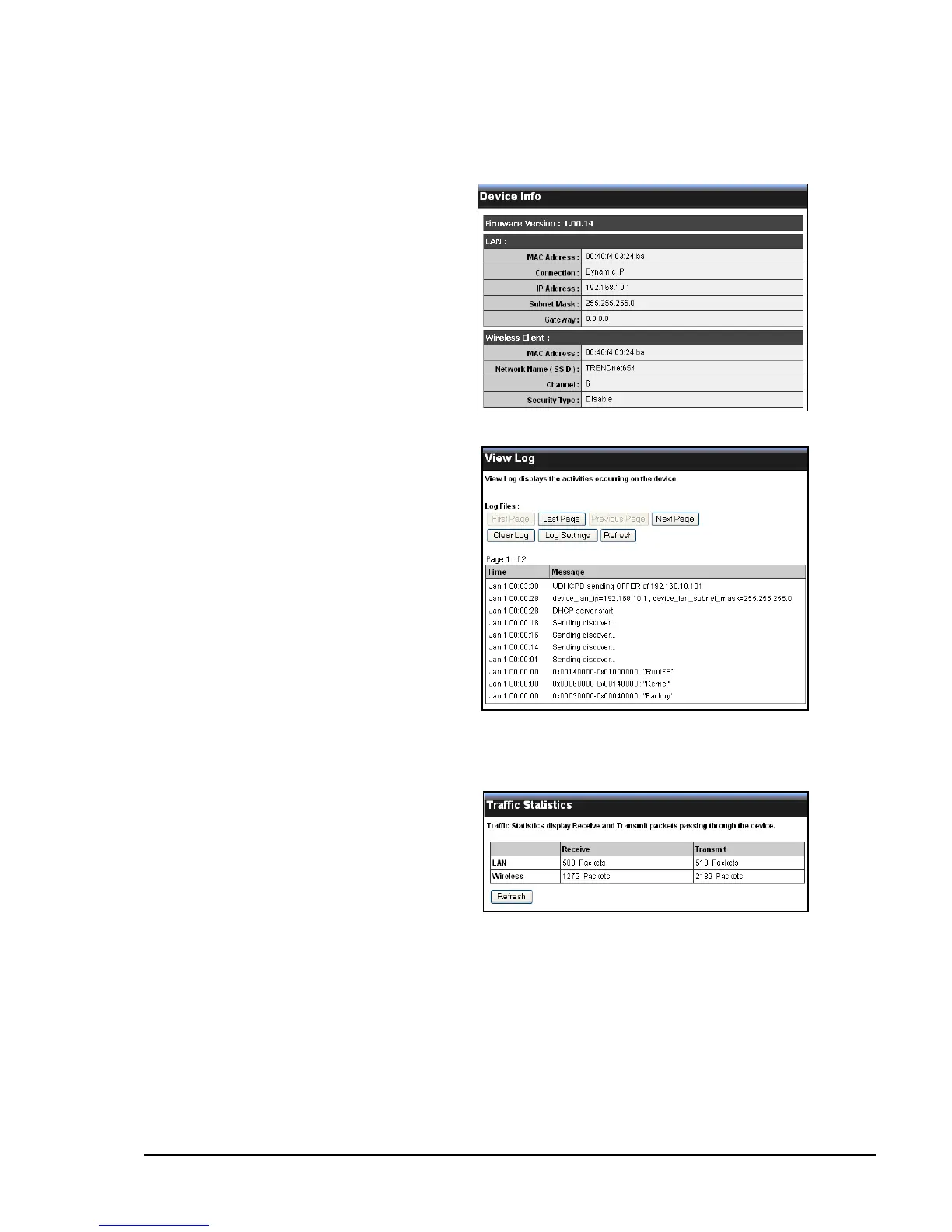
The Status menu displays device, logs, trafc, and connection information.
Logs
This page displays the recorded events
that occur within the wireless network.
Click the following buttons to view the
First Page, Last Page, Previous Page,
and Next Page.
To delete log data, click Clear Log.
To change log settings, click Log
Settings.
To refresh list, click Refresh.
Statistics
This page displays the trafc statistics
of received and transmitted packets that
passed through the travel router.
Click Refresh to refresh table.
Device Info
This page displays the Firmware
Version, LAN and Wireless Client
information.















 To Next Page