Wireless Travel Router 49Wireless Travel Router 49
4. ROUTER MODE
4.2.1 Wizard
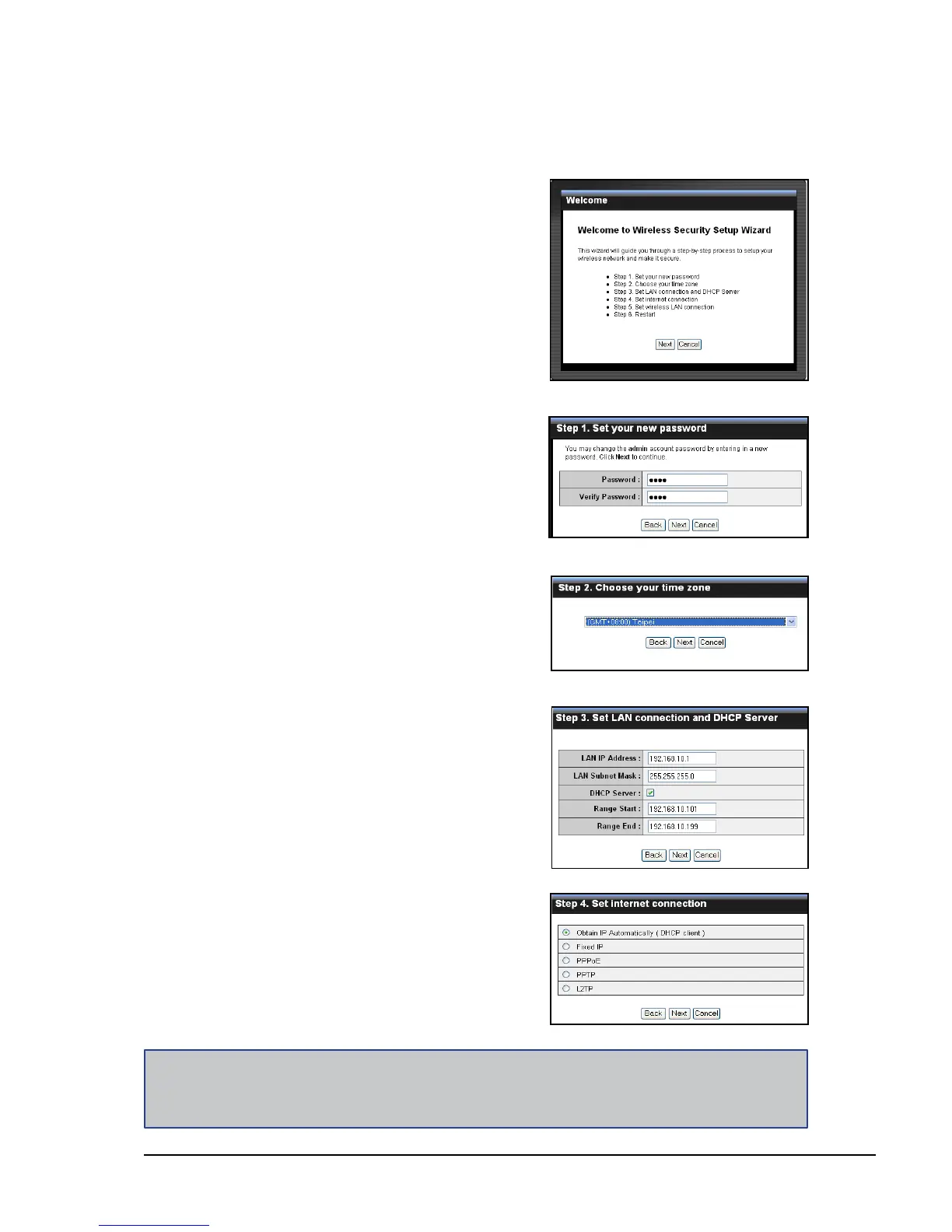
Click the Wizard button to congure the travel router using the setup wizard.
1 Click Next to continue.
2 Create a new Password, then click
Next to continue.
3 Choose the time zone from the list.
Click Next to continue.
4 Set the LAN connection and DHCP
Server. Click Next to continue.
Note:
The Passphrase must be 8-63 ASCII characters or 64 hexadecimal characters.
5 Select the type of Internet connection
you use, then click Next to continue.















 To Next Page