Wireless Travel Router48 Wireless Travel Router48
4. ROUTER MODE
4.2 Web-Based Conguration
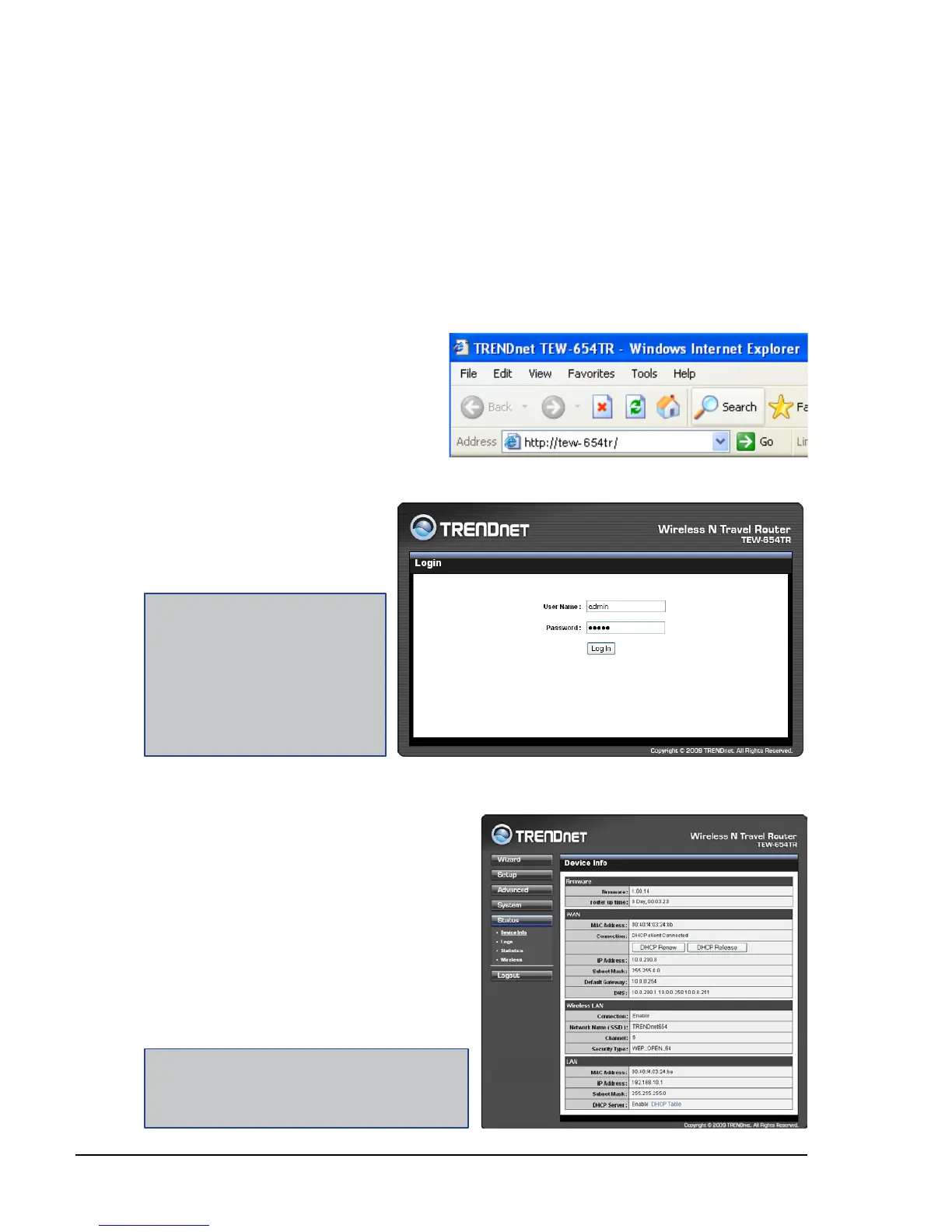
After making all the required connections, congure the travel router using the web-
based conguration utility.
How to Access the Conguration Utility
1
Open a web-browser,
on the address eld,
enter either of the
following defaults:
http://tew-654tr/ or
http://192.168.10.1/.
2 Enter the default User
Name and Password:
admin.
In Router mode, the travel router’s IP address is automatically set as 192.168.10.1,
and the device name is tew-654tr. To access the web-based conguration utility, do
the following steps:
After login, the Status > Device Info page is displayed.
Note:
For novice users, it is recommended to use the
Setup Wizard to congure the travel router.
Note:
If you cannot access the
conguration utility, disable the
Internet security software on
the computer. The rewall may
block access to the conguration
page. Check the software rewall
documentation for help.
To access a page, click the buttons on
the right.
To logout, click Logout.















 To Next Page