Wireless Travel Router64 Wireless Travel Router64
4. ROUTER MODE
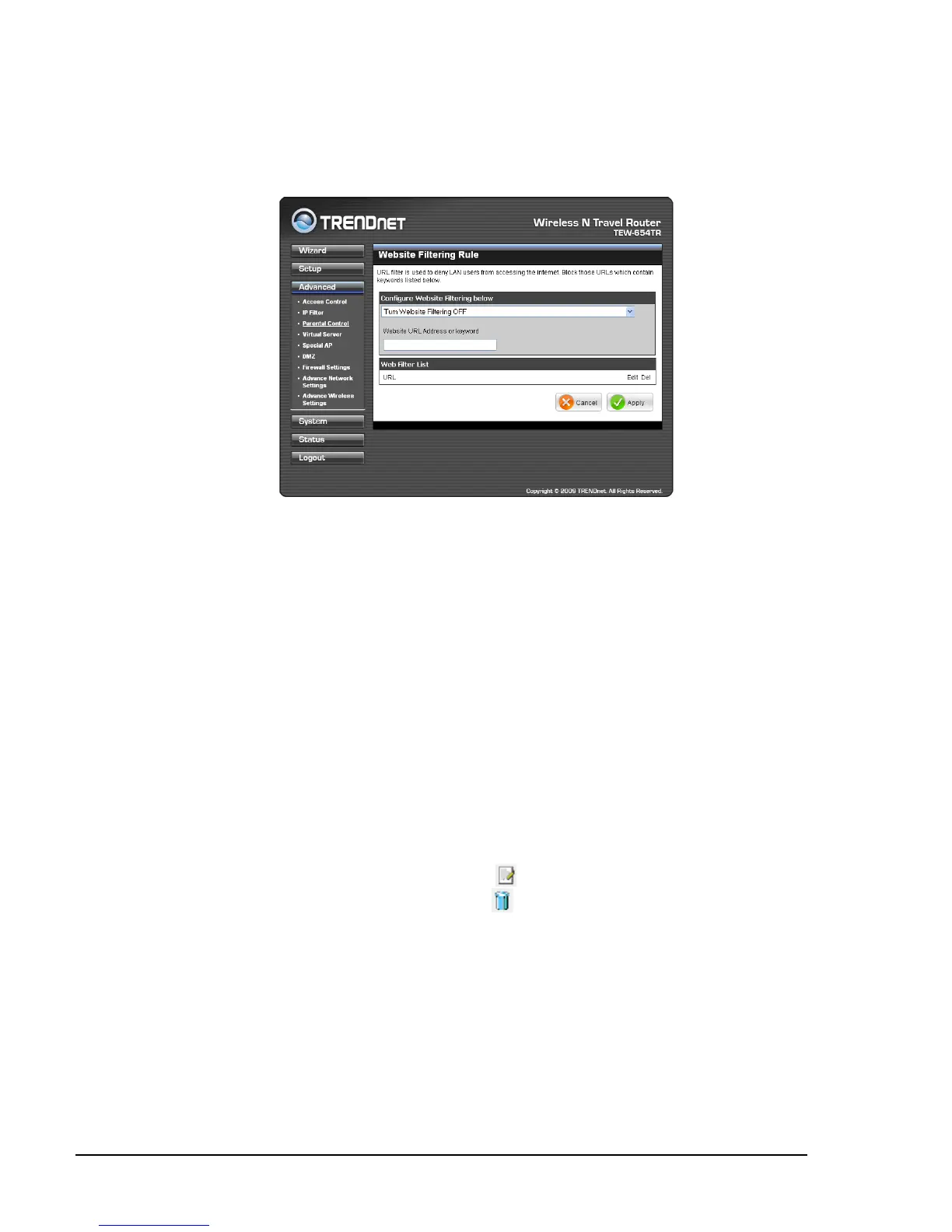
Parental Control
The Parental Control menu allows you to restrict or only allow computers from
accessing specic websites.
Turn Website Filtering OFF: All website can be accessed by the
computers on the network.
Turn Website Filtering ON and ALLOW computers access to ONLY
these sites: Computers can only access the website or website with the
keywords specied on the Website URL Address or keyword box.
Turn Website Filtering ON and DENY computers access to ONLY these
sites: Computer cannot access the website or website with the keywords
specied on the Website URL Address or keyword box.
•
•
•
To congure website ltering, do the following:
1 Select the type of lter from the list:
2 Enter the URL Address or keywords to set lter on the Website URL Address
or keyword box.
Website Filter List
Displays the list of lter proles.
To edit a lter prole, click the corresponding
icon.
To delete a lter prole, click the correspond icon.
Once conguration is complete, click Apply to save and apply settings, or click
Cancel to cancel changes. The travel router will restart for new settings to take effect.















 To Next Page