Wireless Travel Router 37Wireless Travel Router 37
3. CLIENT MODE
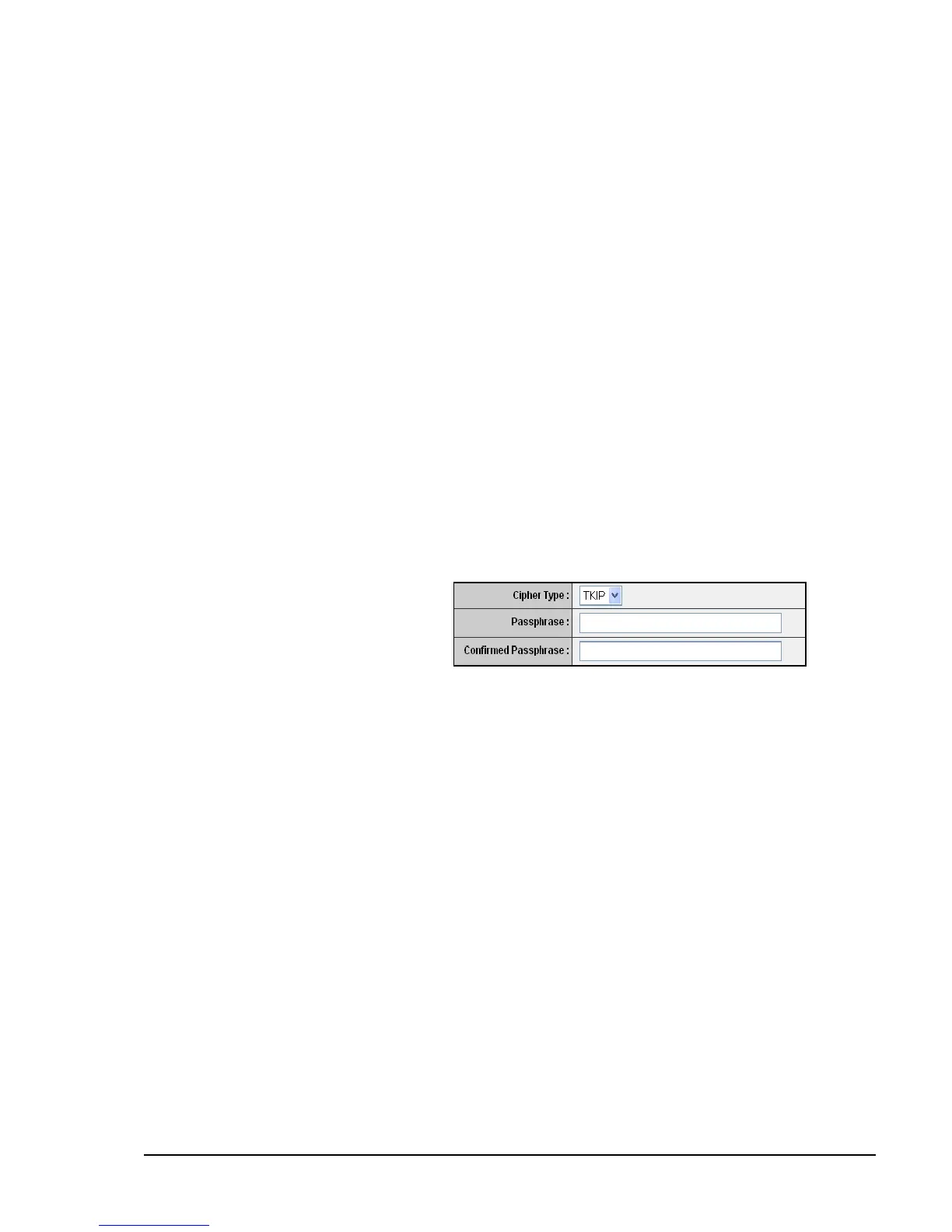
WPA / WPA-2
Cipher Type
Select the encryption method:
TKIP: Temporal Key Integrity
Protocol.
AES: Advanced Encyption
Standard.
•
•
Passphrase
Enter the required passphrase to connect to the selected network. The
passphrase must be 64 hexadecimal or 8-63 ASCII characters.
Conrm Passphrase
Re-enter passphrase.
Click Apply to save and apply settings, or click Cancel to cancel changes. The travel
router will restart for new settings to take effect.
Auto: Select Auto if you are unsure.
Key Length
Select the key length or the level of encryption:
64Bit: Select to enter 10 hexadecimal characters with any combination of 0-9 or
A-F
128Bit: Select to enter 26 hexadecimal characters with any combination of 0-9
or A-F
Key Format
Select the key format:
ASCII: Select to enter ASCII characters.
HEX: Select to enter hexadecimal characters.
Default WEP Key
Select which WEP Key is used as the default key from the list.
WEP KEY 1-4
Manually enter a set of WEP key for each box. Select the default WEP key from
the Default WEP Key list.
•
•
•
•
•















 To Next Page