2.9.3 Target Location & Elevation Data
In order for the gimbal to accurately calculate the location of where it is looking (commonly
referred to as the “image position” or “target location”), the range to the target is required. The
range to target can be calculated in a number of different ways listed below in order of priority:
1) Some Trillium gimbals support laser rangefinders (LRFs) which directly provide range to
target.
2) Some Trillium gimbals can host onboard DTED which is used to determine range to target by
estimating the ground elevation. Onboard DTED is 90m spacing.
3) SkyLink can host various elevation data sources which are using to determine range to
target which is uploaded to the gimbal. This is the approach most commonly taken.
SkyLink will use the highest-resolution elevation data it has for any elevation lookup. If the PC has
an internet connection, SkyLink will download 30 or 90 meter resolution SRTM elevation data tiles
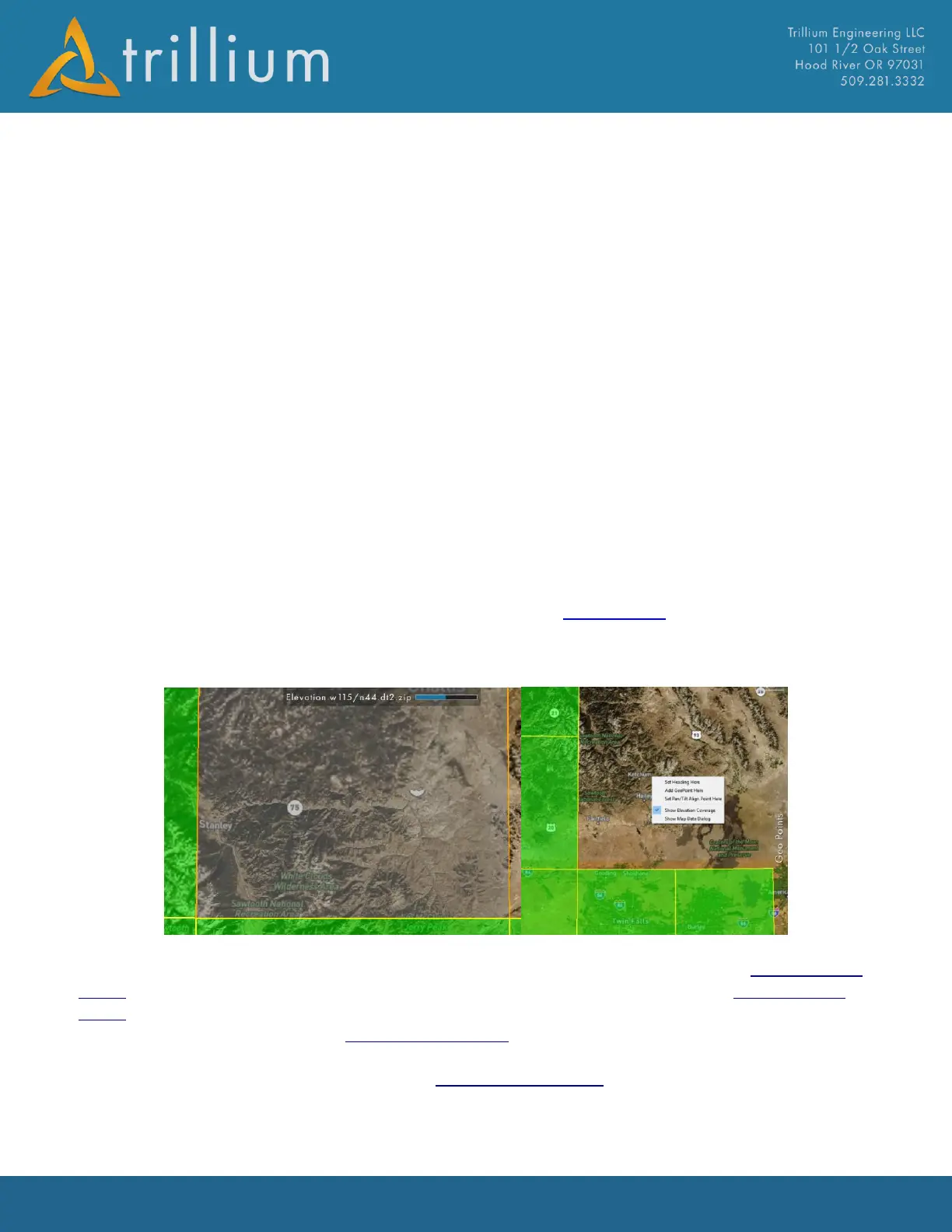
automatically from the web for the area displayed in the map view. The map will begin to download
elevation data when map’s scale displays 20km (12 miles) or less. Automatic download is shown by
a shaded orange box and a status bar at the top.
In order to verify the map has downloaded elevation tiles for the area display, simply right-click on
the map and checking “Show Elevation Coverage”, downloaded files will display as green tiles.
Elevation Coverage layer can also be toggled on/off from the Map Settings page. Note the coverage
layer only shows where SkyLink has data from Trillium’s servers, it does not currently include any
elevation data added by the user.
SRTM data from Trillium’s servers is stored in the TrilliumElevation directory of the ElevationData
folder. SkyLink will attempt to load any elevation data it finds in subfolders of the ElevationData
folder. SRTM, DTED, and DEM files have been verified to load successfully. It is important that each
subfolder of elevation data in the ElevationData folder is of the same type. For example, DTED (.dt1)
files should not be placed in the same subfolder as SRTM (.hgt) files, instead they should be placed
in the DTED subfolder. Each subfolder in the ElevationData folder can contain as many files as
needed, as long as they are the same file extension.



 To Next Page