2-57
Installing and Setting up the Machine > Transferring Data from Our Other Products
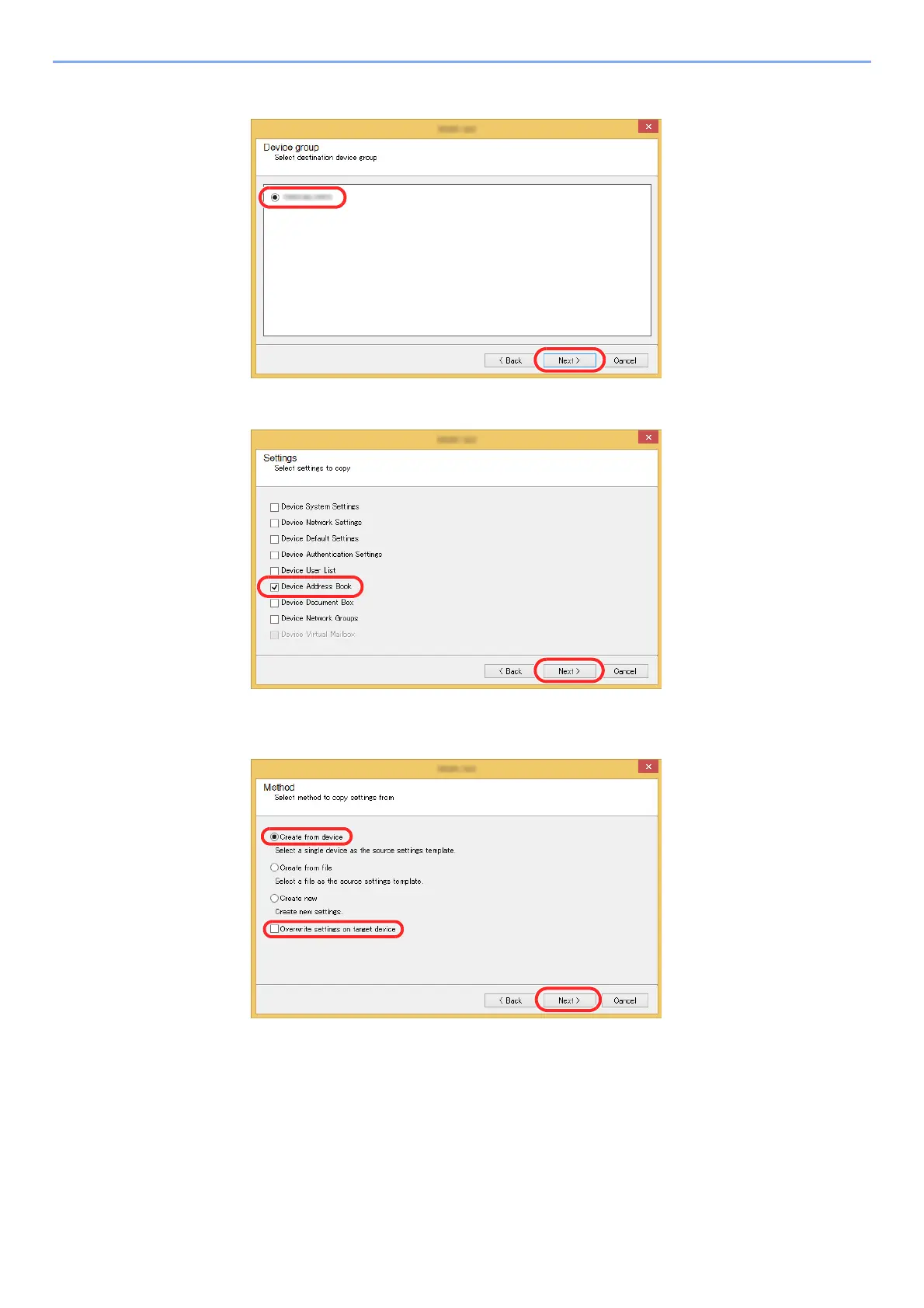
3 Select destination device group and click [Next].
4 Select [Device Address Book] and click [Next].
5 Select [Create from device] and remove the checkmark from [Overwrite settings on
target device], and then click [Next].











 To Next Page