2-49
Installing and Setting up the Machine > Embedded Web Server RX
Changing Device Information
1
Display the screen.
1 Launch your Web browser.
2 In the address or location bar, enter the machine's IP address or the host name.
Click in the following order to check the machine's IP address and the host name.
[System Menu/Counter] key > [▲] [▼] key > [Report] > [OK] key > [▲] [▼] key > [Report Print] >
[OK] key > [▲] [▼] key > [Status Page] > [OK] key > [Yes]
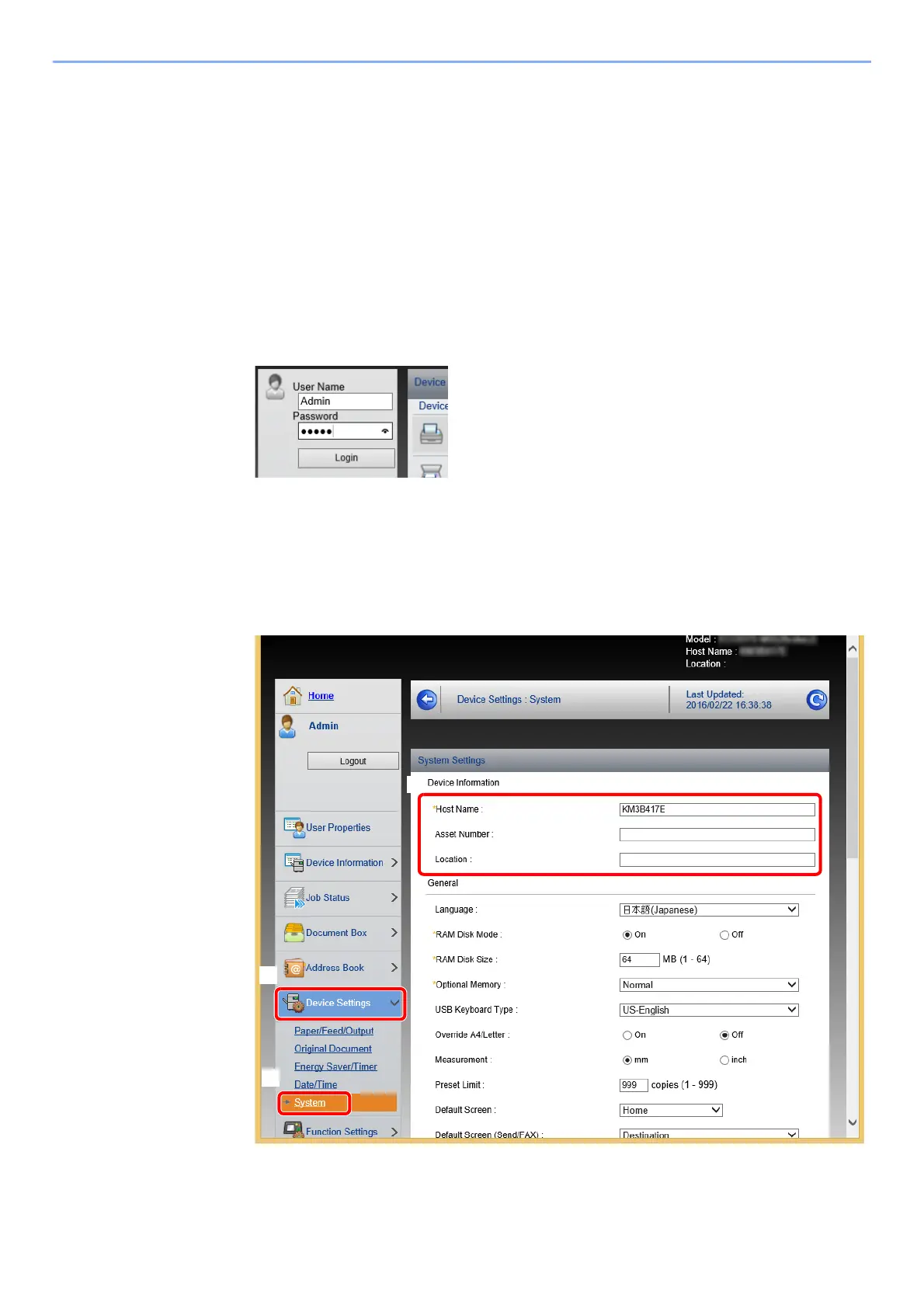
3 Log in with administrator privileges.
The factory default setting for the default user with administrator privileges is shown below. (Upper
case and lower case letters are distinguished (case sensitive).)
Login User Name: Admin
Login Password: Admin
4 From the [Device Settings] menu, click [System].











 To Next Page