3-5
Preparation before Use > Loading Paper
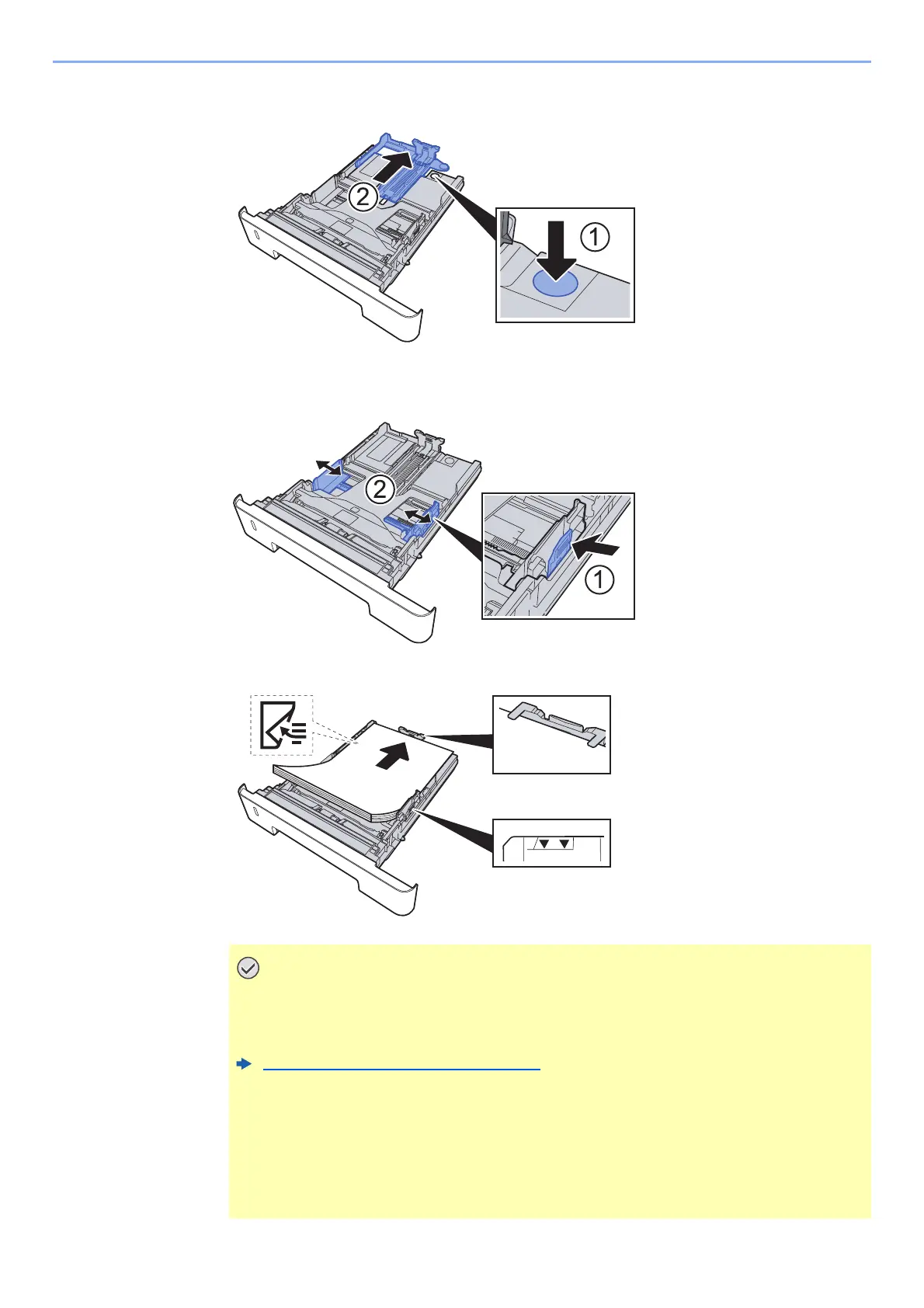
When using Folio, Oficio II or Legal
3
Adjust the position of the paper width guides located on the left
and right sides of the Cassette.
4
Load paper.
• Load the paper with the print side facing down.
• After removing new paper from its packaging, fan the paper before loading it in the
multipurpose tray.
Precaution for Loading Paper (page 3-2)
• Before loading the paper, be sure that it is not curled or folded. Paper that is curled
or folded may cause paper jams.
• Ensure that the loaded paper does not exceed the level indicator (see illustration
above).
• If paper is loaded without adjusting the paper length guide and paper width guide,
the paper may skew or become jammed.



 To Next Page