3-11
Preparation before Use > Preparation for Sending a Document to a Shared Folder in a PC
2
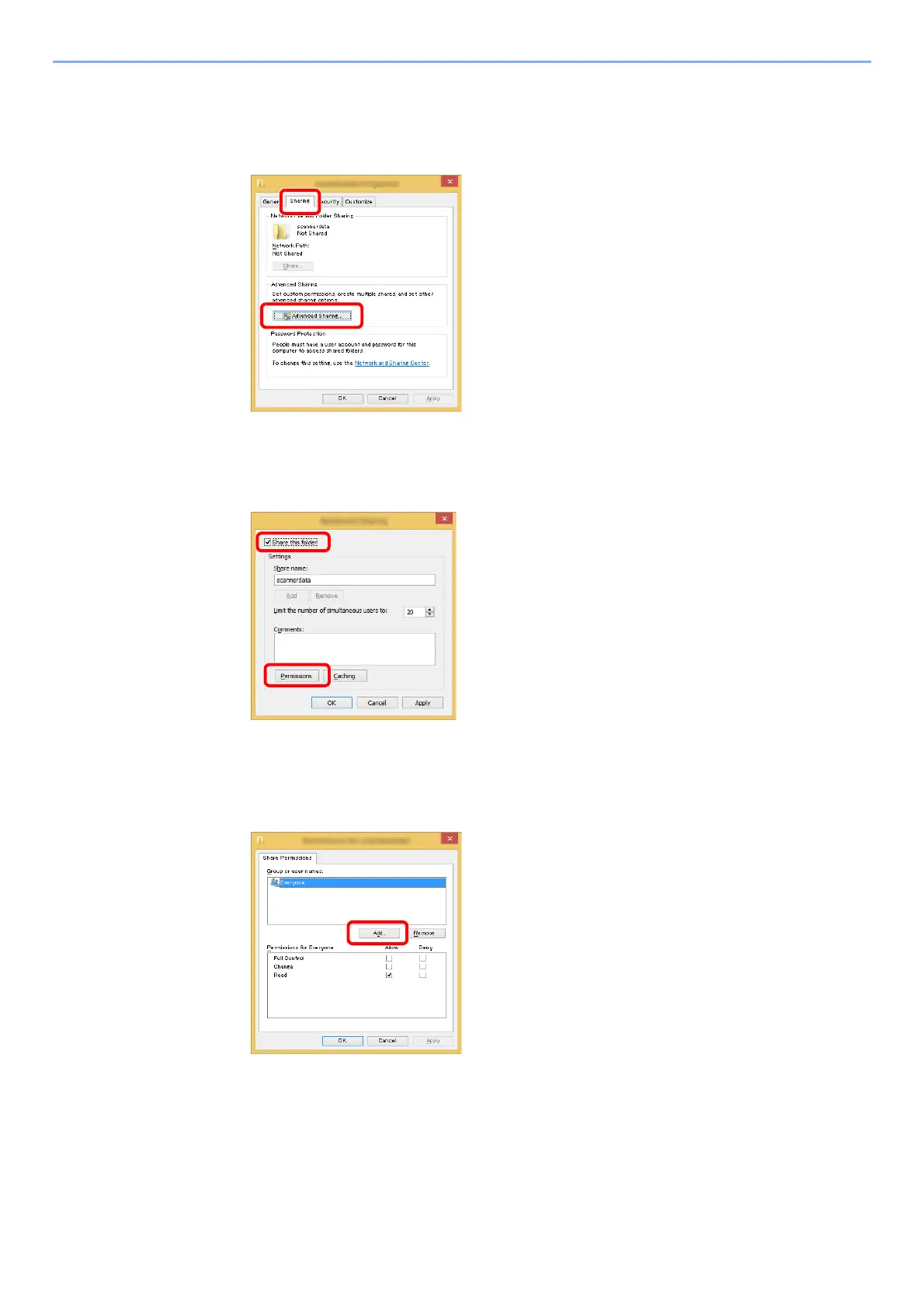
Configure permission settings.
1 Right-click the "scannerdata" folder, select [Property], and click [Sharing] and
[Advanced Sharing].
In Windows XP, right-click the "scannerdata" folder and select [Sharing and Security] (or
[Sharing]).
2 Select the [Share this folder] checkbox and click the [Permissions] button.
In Windows XP, select [Share this folder] and click the [Permissions] button.
3 Make a note of the [
Share name].
4 Click the [Add] button.











 To Next Page