2-34
Installing and Setting up the Machine > Installing Software
2
Display the screen.
3
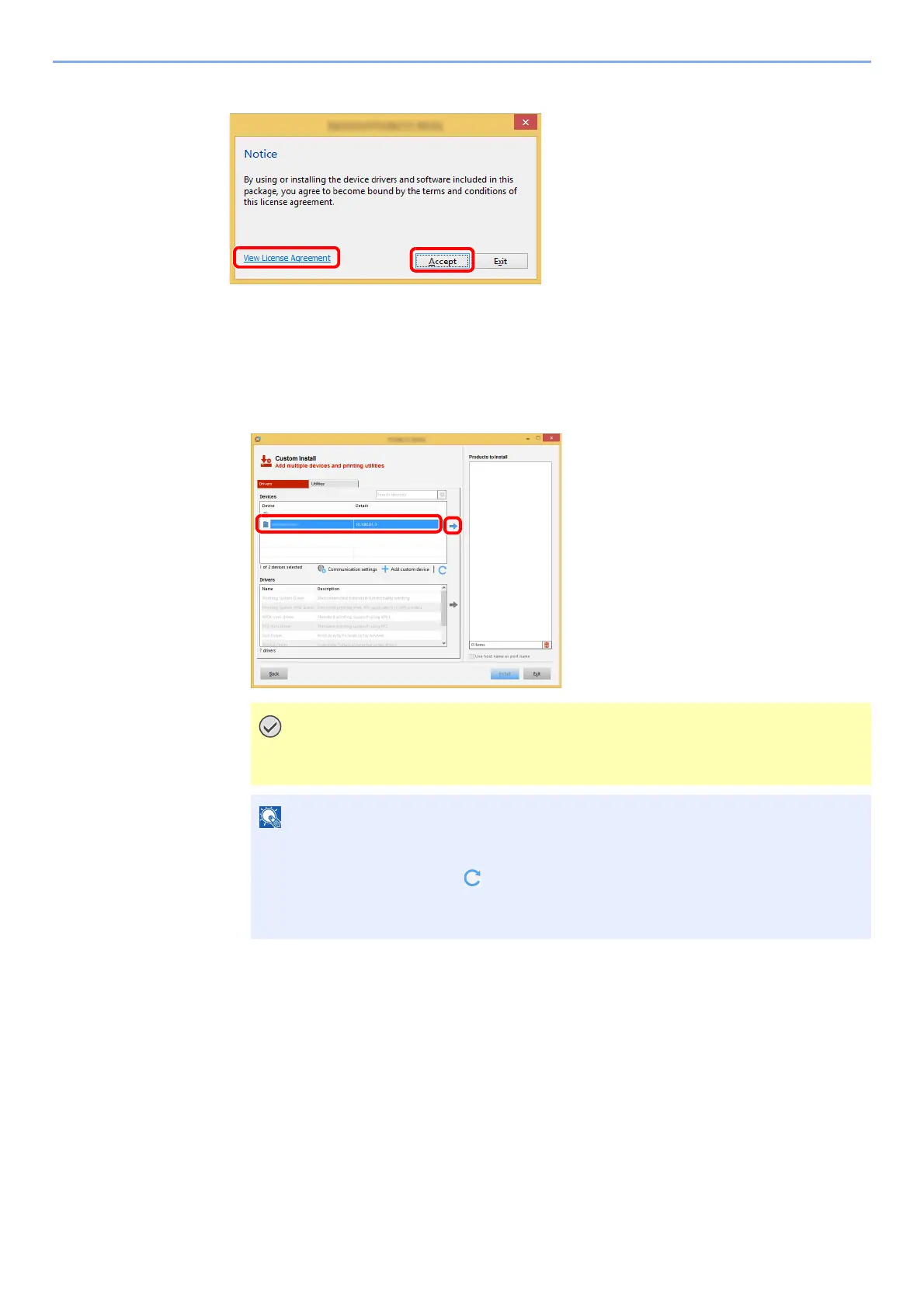
Select [Custom Install].
4
Install the software.
1 Select the device to be installed.
If Wi-Fi or Wi-Fi Direct is enabled, be sure to specify the IP address for the port
name. Installation may fail if the host name is specified.
• The machine cannot be detected unless it is on. If the computer fails to detect the
machine, verify that it is connected to the computer via a network or USB cable and
that it is turned on and click (Reload).
• If the desired device does not appear, select [Add custom device] to directly select
the device.
1 Click [View License Agreement]
and read the License Agreement.
2 Click [Accept].
1
2



 To Next Page