15
FO2 MODE
After Activation, the Element will operate as an AIR computer
without displaying information associated with oxygen calcula-
tions, unless it is set for Nitrox which is a percentage of O2
(FO2) other than AIR (a numerical value between 21 and 50 %).
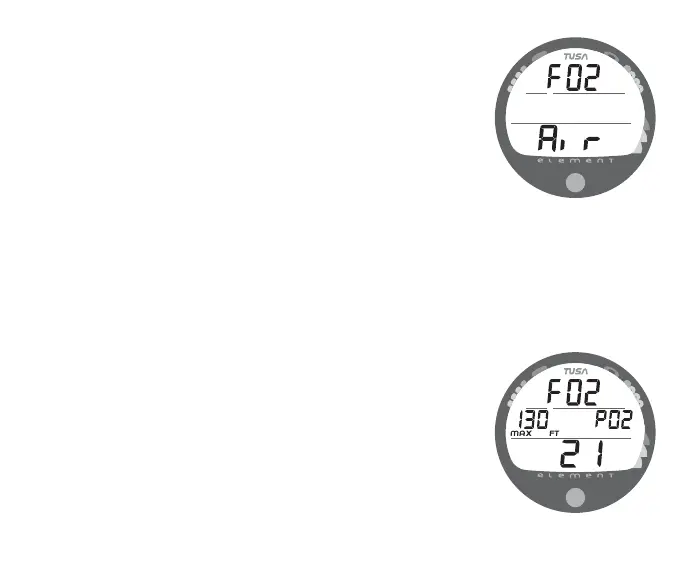
When set for an FO2 value of AIR (Fig. 9), the Element will
perform calculations the same as if FO2 were set for 21% O2,
internally accounting for O2 accumulation for any subsequent
Nitrox dives. However, O2 related displays, warnings, and the
O2BG will not appear on the display for that dive, or subse-
quent dives, unless FO2 is set for Nitrox (a numerical value of
21 to 50 %).
Once a dive is made with the unit set as a Nitrox computer (FO2
set for a numerical value), it cannot be programmed to operate
as an AIR computer until 24 hours after the last dive. AIR will
not be displayed as an option in the FO2 Mode. However, you
can set FO2 for 21% for use with AIR.
When FO2 is set at a value of 21% (Fig. 10), the unit will
remain set at 21% for subsequent Nitrox dives until FO2 is set to
a higher value, or until it automatically turns Off 24 hours after
the last dive and is reactivated.
Setting FO2 is described on Page 21.
Fig. 9 - FO2 Set for AIR
Fig. 10 - FO2 Set for 21%



 To Next Page