46
POST DIVE SURFACE MODE
When you ascend to 2 FT (0.6 M) for 1 second, the Element will
enter Surface Mode and begin counting Surface Interval.
TRANSITION PERIOD
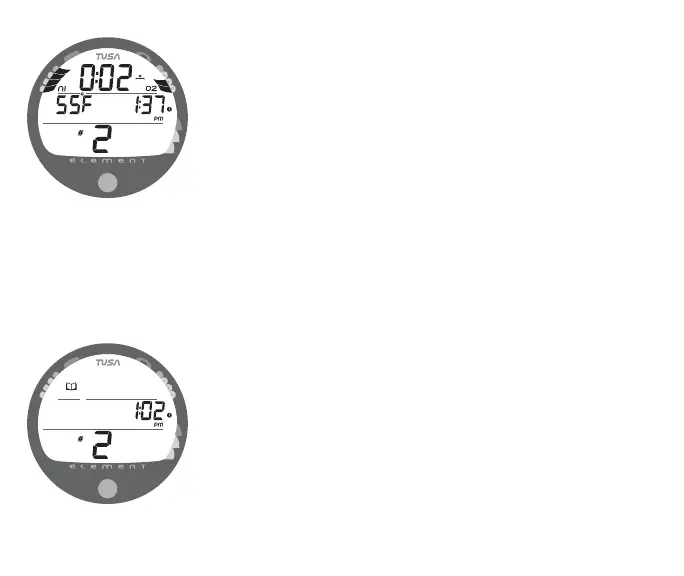
The first 10 minutes is, in affect, a Transition Period during which
time the following information is displayed (Fig. 50):
• Surface Interval time (colon flashing) with mode icon
• Temperature (ambient) with icon and graphic C (or F)
• Time of Day with clock icon
• Number of that dive (during that activation period) with icon
• Battery icon, if a Low Battery condition exists
• NiBG, and O2BG (if a Nitrox dive)
During the Transition Period, the Log for that dive can be viewed.
No other modes (e.g., Fly, Desat, Plan, Set) are accessible.
To view the Log (Fig. 51), press/release the button (less than 2
seconds).
Log Data will not be stored in the unit's memory until the 10
minute Transition Period on the surface is completed.
Fig. 50 - TRANSITION
PERIOD
Fig. 51 - LOG MODE
(during Transition Period)



 To Next Page