33
CONTROL OF DISPLAYS
During dives, there is a Main (default) Display with Alternate
screens of information that can be accessed temporarily by
pressing the button.
NO DECOMPRESSION DIVE MODE
The Element will enter the No Decompression Dive Mode when
you descend to 5 FT (1.5 M) for 5 seconds.
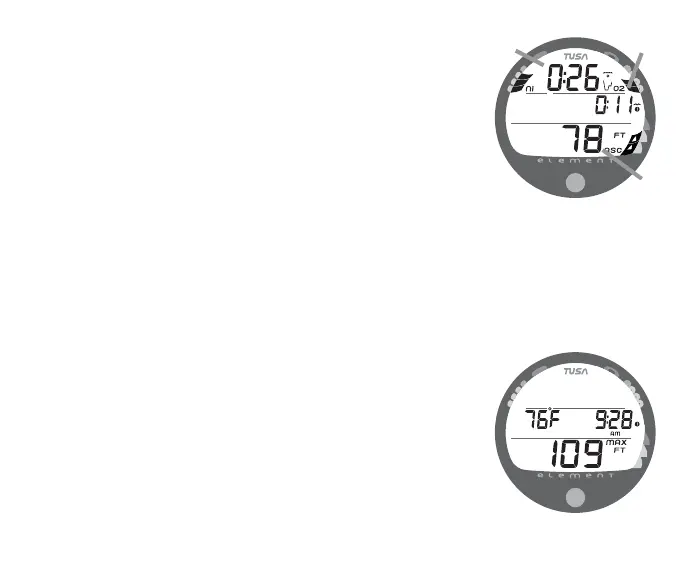
No Deco Dive Main Display (Fig. 28)
Information includes Dive Time Remaining with Mode icon (Fig.
28a), Elapsed Dive Time (Fig. 28b), Current Depth (Fig. 28c),
and applicable bar graphs.
• Press/release the button 1 time (< 2 seconds) to view No
Deco Dive Alternate 1 Display.
• If set for Nitrox, press/release the button while viewing
Alternate 1 to view Alternate 2.
• The Alternate Displays will revert to the Main after 5 seconds
unless the button is pressed.
• Depress the button for 2 seconds to view a No Deco Deep
Stop Preview screen for 5 seconds.
No Deco Alternate 1 Display (Fig. 29)
Information includes Temperature, Time of Day, and Max Depth
with icons.
Fig. 28 - NO DECO MAIN
a
c
b
Fig. 29 - NO DECO ALT 1



 To Next Page