37
DECOMPRESSION DIVE MODE
The Element is designed to help you by providing a representa-
tion of how close you are to entering decompression. Decom-
pression Dive Mode activates when theoretical No Decompres-
sion time/depth limits are exceeded.
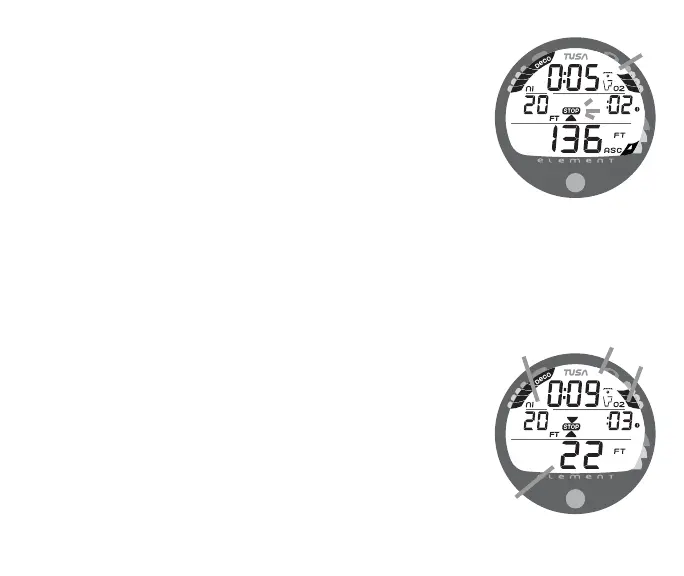
Upon entering Decompression Mode, the Mode icon will change
from No Deco to Deco (Fig. 35a).
• The UP Arrow and Deco STOP bar icons will flash until you
are within 10 FT (3 M) of, and below, the required Stop
Depth, then both arrow icons and the bar icon appear solid.
To fulfill your decompression obligation, you should make a safe
controlled ascent to a depth (Fig. 36a) slightly deeper than, or
equal to, the required Stop Depth indicated (Fig. 36b) and
decompress for the Stop Time indicated (Fig. 36c).
Total Ascent Time (Fig. 36d) includes Stop Times for all required
decompression ceilings and vertical Ascent Time calculated at
60 FPM (18 MPM) for depths deeper than 60 FT (18 M), and
30 FPM (9 MPM) for depths of 60 FT (18 M) and shallower.
Fig. 36 - DECO STOP MAIN
Fig. 35 - ENTRY into DECO
a
b
c
a
d



 To Next Page