42
HIGH PO2
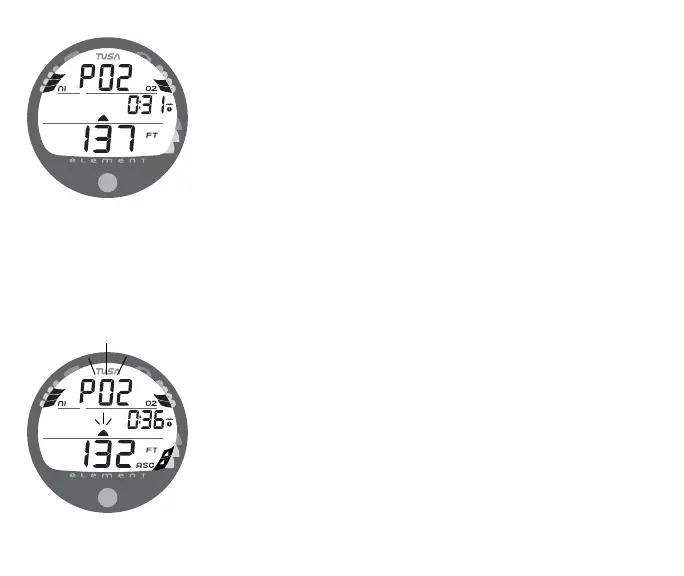
When partial pressure of oxygen (PO2) increases to 0.20 ATA
less than the PO2 Alarm Set Point, the graphic PO2 (in place of
DTR), and UP Arrow icon will appear on the Main Display (Fig.
47) until PO2 decreases. Elapsed Dive Time, Current Depth,
and bar graphs will continue to be displayed.
If PO2 continues to increase and reaches the Alarm Set Point,
the graphic PO2 and UP Arrow icon will flash until PO2 de-
creases (Fig. 48).
• Press/release the button momentarily (< 2 seconds) to view
the Alternate Displays (similar to No Deco Stop screens).
Fig. 47 - HIGH PO2
WARNING
Fig. 48 - HIGH PO2 ALARM



 To Next Page