19
Wet Contact Activation (only if set ON)
The Element will also automatically activate by Wet Contact.
This is accomplished by bridging the gap between contacts
located on the Button's stem and back of the case.
If no dive is made within 2 hours after initial activation, the unit
will automatically deactivate. If the wet contacts are still
bridged, the unit will reactivate and display the H2O graphic.
SURFACE SEQUENCE
While on the surface, the unit will automatically scroll through a
Sequence of displays including -
• Surface Mode
• Fly Mode
• DeSat Mode
• Plan Mode
As the Surface Sequence is scrolling, you can use the button to
access Log Mode and Set Mode.
SURFACE MODE
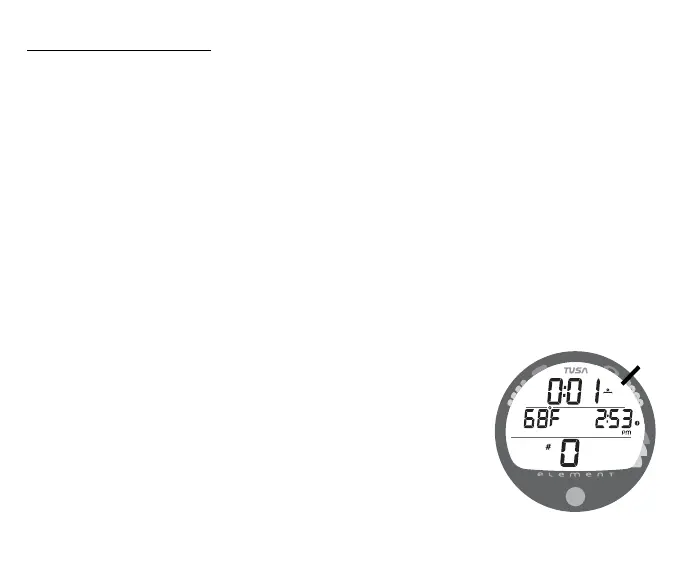
Surface Mode, identified by the Surface Time icon (Fig. 15a),
follows Diagnostic Mode after Activation. Information includes
Surface Time with flashing colon (and clock/wave icon, Tem-
perature (with icon and graphic C or F), Time of Day (with clock
icon), and Dive Number with # icon (0 if no dive made yet).
Fig. 15 - SURFACE MODE
a



 To Next Page