50
> Press/release the Button to view the third screen.
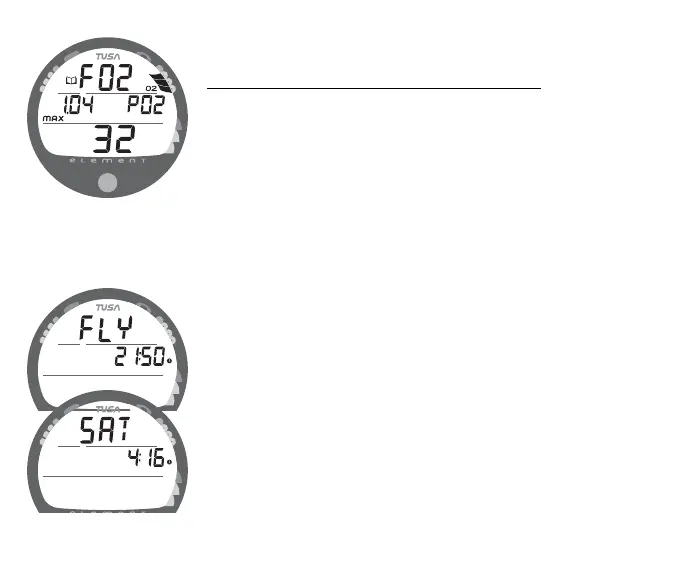
O2 Data (the third screen) information includes (Fig. 57) -
• Log Mode icon
• Graphic FO2 with FO2 Set Point (at bottom)
• Maximum PO2 level reached during the dive with the MAX
icon and graphic PO2.
• O2BG - showing oxygen accumulated at the time you
surfaced at the end of the dive.
> To access the first screen of the previous dive's Log, press/
release the button momentarily (< 2 seconds).
> To return to the Surface Sequence at any time while in Log
Mode, depress the button for 6 seconds, releasing it when
Surface Mode appears.
The unit will automatically revert to the Surface Sequence after 2
minutes if the button is not pressed to view another Log Screen.
AFTER THE FIRST 2 HOURS
Two hours after the last dive, the Surface Sequence will no
longer be displayed. The Time to Fly and Desat countdown
screens (Fig. 58) will be displayed alternately for 3 seconds
each until they count down to 0:00 or another dive is made.
Fig. 57 - LOG O2 DATA
Fig. 58 - FLY/SAT



 To Next Page