21
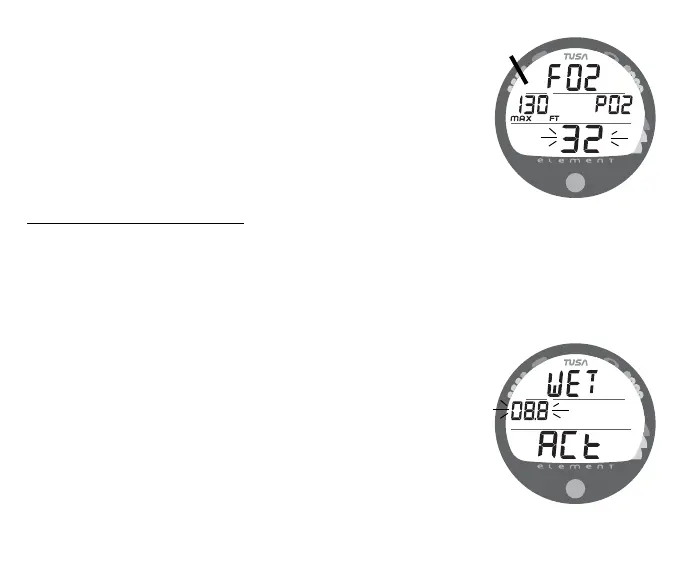
• For each FO2 value that appears, the Maximum Depth that
can be achieved for the PO2 Alarm Set Point will be dis-
played (Fig. 17a) with the graphic PO2. If FO2 is set for
AIR, no Depth value will be displayed.
• Depress the button for 2 seconds to accept the FO2 Set Point
displayed and advance to the Set Wet Activation screen.
TO SET - WET ACTIVATION
Factory set for ON, Wet Activation can also be set OFF (dis-
abled) to prevent inadvertent activation during travel or storage.
When set ON, the Element will automatically Activate and enter
Dive Mode upon immersion in water.
• After having set and accepted the FO2 setting, the Set Wet
Activation screen appears displaying the graphics ACt and
WET with the Set Point flashing (Fig. 18).
- - or - -
• While the Surface Sequence is scrolling, depress the button
for 4 seconds to bypass Set FO2 to access the screen, then
release the button.
Fig. 17 - FO2 set for 32%
(130 feet allowed)
a
Fig. 18 - SET WET
ACTIVATION



 To Next Page