52
RESET PROCEDURE
• While the Surface Sequence is scrolling, press/release the button
(< 2 seconds) to access the Log Mode displaying the first screen of
the most recent dive (Dive Preview/Identifier).
• Press/release the button again (< 2 seconds) to access the second
Log screen (Dive Data) of the most recent dive.
• Depress/hold the button while the second Log screen of the most
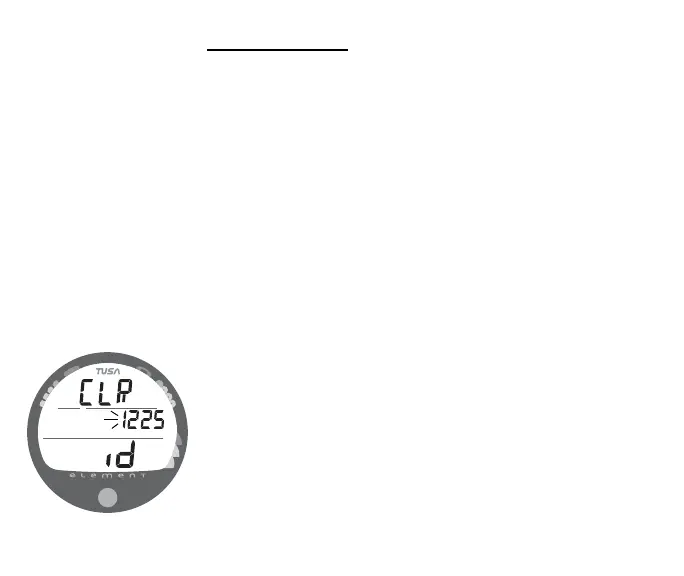
recent dive is being displayed to access the Reset screen. The
graphics CLR and id will appear with the Key Code XXXX, the first 2
digits flashing (Fig. 60). Release the button.
• If necessary to change the first 2 digits, press/release the button
repeatedly (< 2 seconds each time) to select the correct number.
• Depress the button for 2 seconds to save the first 2 digit number and
advance to the second 2 digits, flashing.
• If necessary to change the second 2 digits, press/release the button
repeatedly (< 2 seconds each time) to select the correct number.
• Once the proper Key Code has been entered, depress the button for
2 seconds to accept the Key Code, complete the Reset operation, and
turn the unit Off (i.e., Clearing it).
• If an incorrect Key Code number has been entered, the unit will revert
to the Surface Sequence when the button is depressed, resuming
previous operation(s).
Fig. 60 - RESET (Clear)



 To Next Page