Page 18 of 56
4.1.2. Keypad
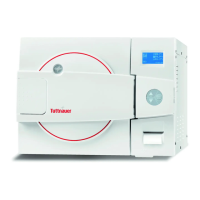
The keypad consists of 3 keys as described below:
UP key
This key has the following functions:
• In the main screen:
o This key enables the operator to brows
through the cycles.
• In the directories available:
o When the cursor is blinking on a number,
the UP ▲ key increases its value.
o When the cursor is blinking on a word, the
UP ▲ key enables to move backward or to
browse through the directories.
DOWN key
This key has the following functions:
• In the main screen:
o This key enables the operator to brows
through the cycles.
• In the directories available:
o When the cursor is blinking on a number,
the DOWN ▼ key decreases its value.
o When the cursor is blinking on a word, the
DOWN ▼ key enables to move ahead or to
browse through the directories.
START/STOP key
This key has the following functions:
• In the main screen:
o Starts the process when the required
program was chosen.
o Stops the current process.
o Cancels the ERROR message displayed on
the screen to open the electric door locking.
• In the directories available:
o When the cursor is blinking on a number,
the START/STOP key enables to move
ahead.
o When the cursor is blinking on a word, the
START/STOP
key enables to enter in
the selected directory.
4.1.3. Printer
The printer prints the detailed history of each cycle performed
by the autoclave.
The printing is made on thermal paper with 24 characters per
line and contains the record information for subsequent
consideration.








 To Next Page