Page 37 of 83 Pages
6.3 Entering the main menu
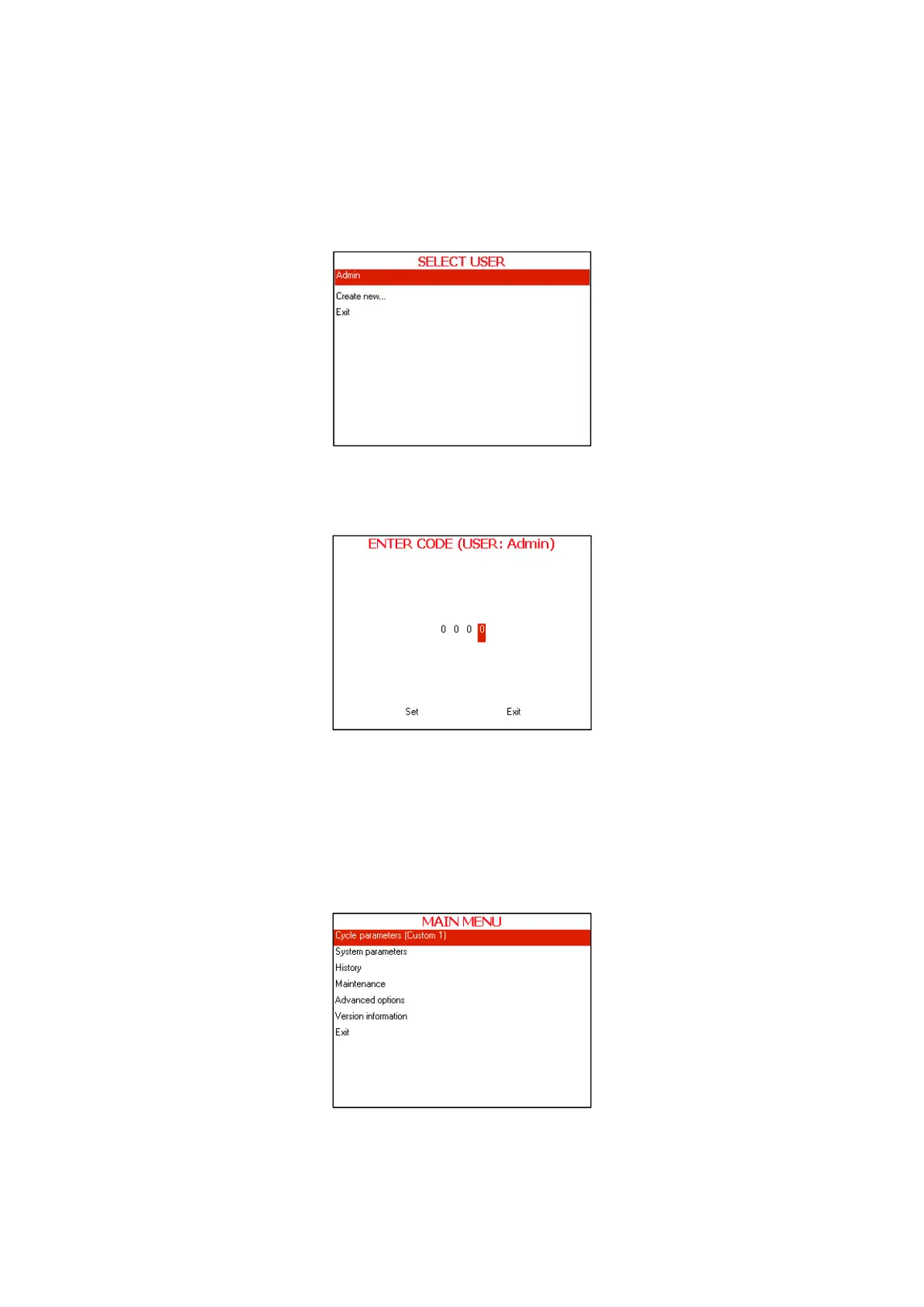
1. Enter the SELECT USER screen by pressing the UP and DOWN
keys simultaneously.
To exit the SELECT USER screen move the cursor to Exit by
pressing UP or DOWN keys and then press START/STOP key.
SELECT USER screen will be displayed.
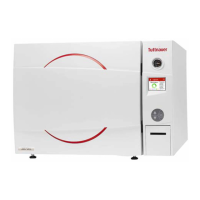
2. Move the cursor to Admin and press START/STOP key. The
following screen will be displayed:
3. 0000 is displayed on the screen with the cursor blinking on the right
digit.
4. To increase or decrease the digits, press the UP or DOWN keys.
5. After changing the code to 0001 move the cursor to Set by pressing
the START/STOP key.
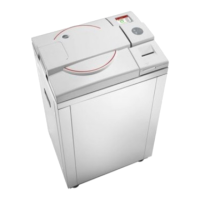
6. When Set is blinking, press the UP or DOWN keys to enter the
MAIN MENU of the autoclave.
The following screen will be displayed:








 To Next Page