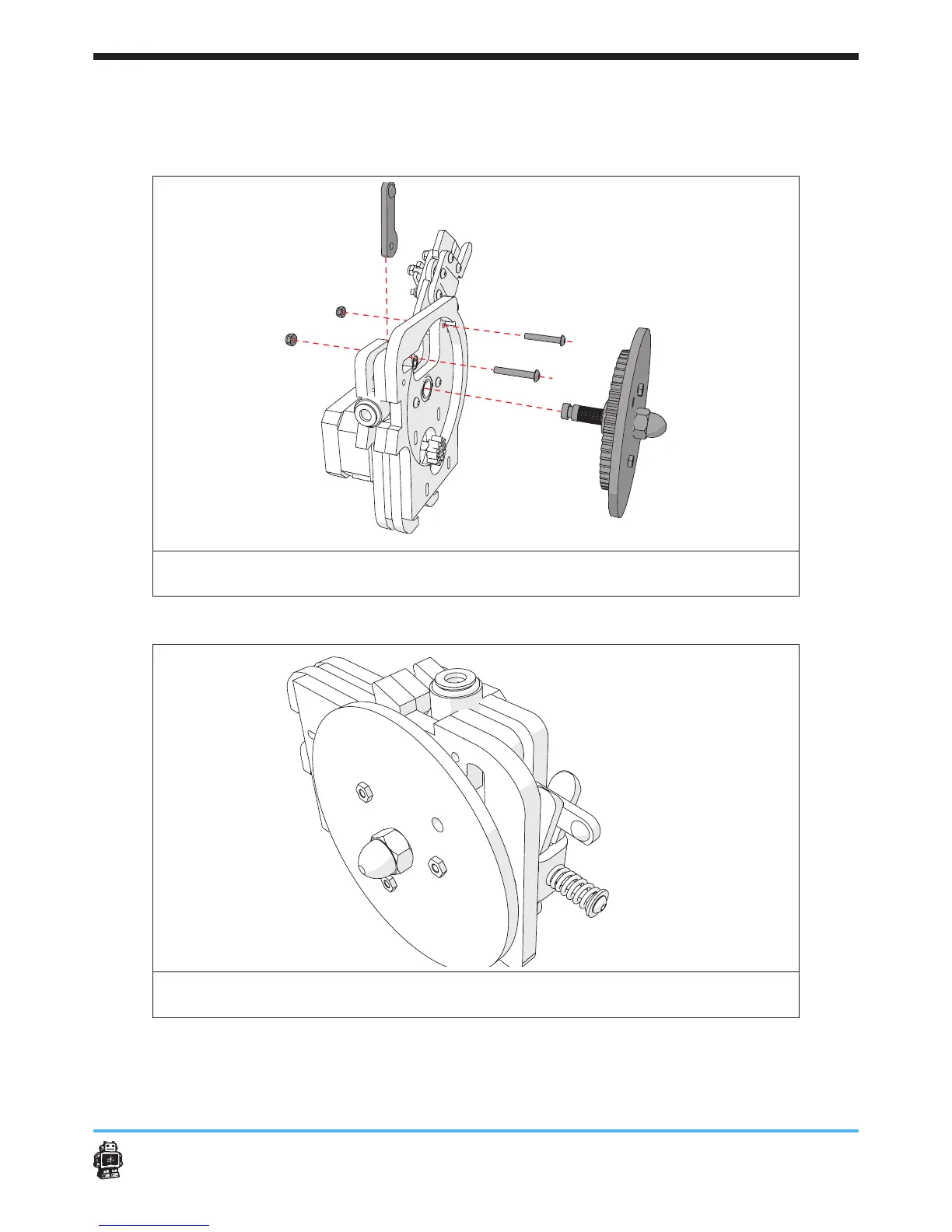
Step 3: clamp assembly Assembling the material feeder 79
Use ONE bolt M3 x 20mm and a ONE lock nut.
5 Notice: do not screw too tight, it must be able to move.
5 Notice: make sure the lock nut is NOT placed on the side of the gear.
image 99: attaching the clamp assembly with U-Bracket and the lever on the main
body of the drive mechanism
The result must look like this, see image 100.
image 100: result after attaching the clamp assembly with U-Bracket and lever on the
main body of the drive mechanism












 To Next Page