YK11-0016-DI-002-08
49
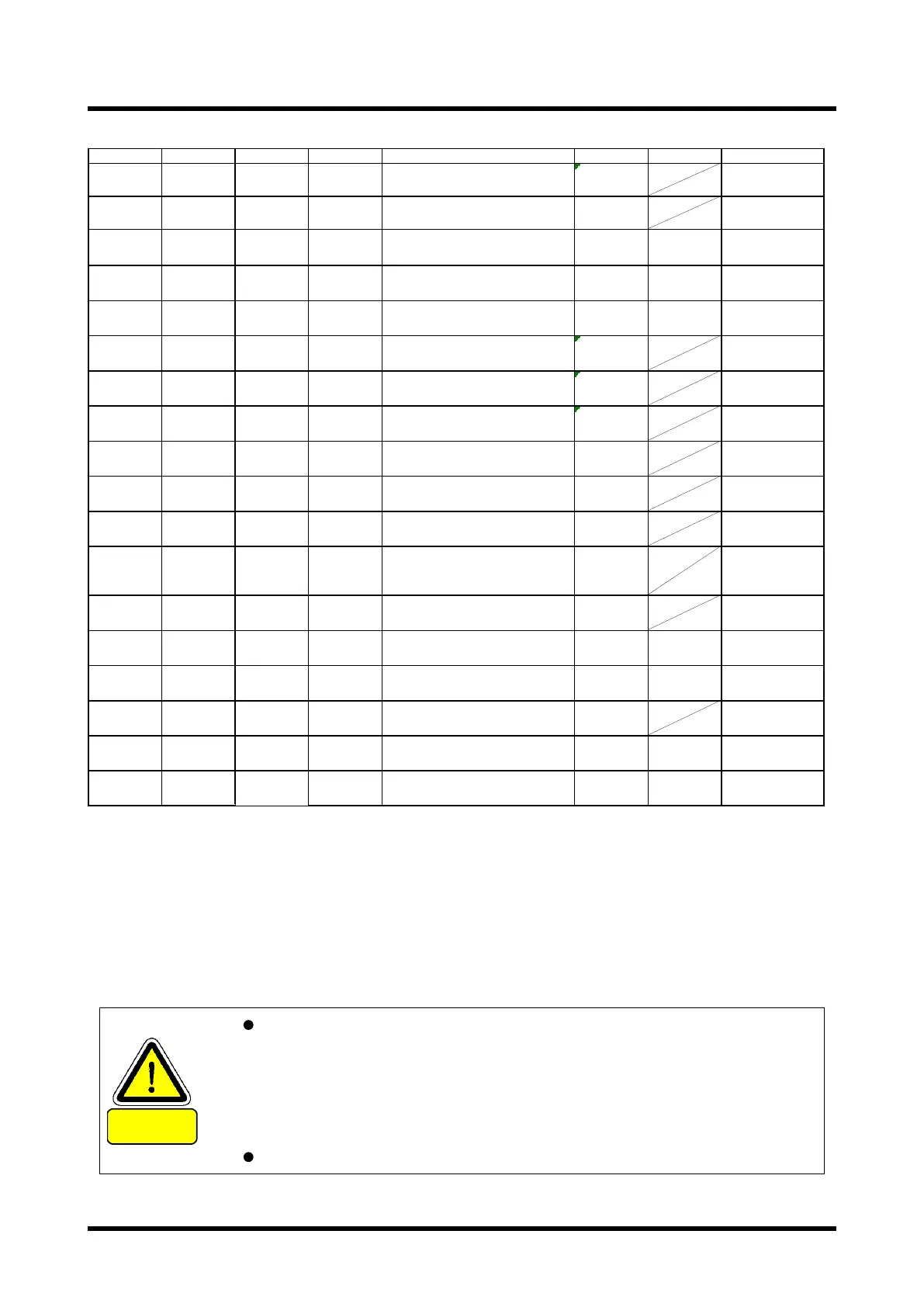
Inverter settings can be changed by the customer list ※3
No. Name Range No. Parameter Name Setting Range Unit Description
1 A2-01
User
Parameter 1
b1-01 Frequency Reference Selection1※1 1
Terminals-Analog
input terminal
2 A2-02
User
Parameter2
C6-02 Carrier Frequency Selection
o2-04 to the
dependet
Set the carrier
frequency
3 A2-03
User
Parameter3
d1-02
Frequency Reference Selection 2
(Multi-Step Speed Reference1) ※2
40 Hz Switching S5 ON
4 A2-04
User
Parameter4
d1-03
Frequency Reference Selection 3
(Multi-Step Speed Reference2) ※2
30 Hz Switching S6 ON
5 A2-05
User
Parameter5
d1-04
Frequency Reference Selection 4
(Multi-Step Speed Reference3) ※2
0 Hz
Switching S5+S6
ON
6 A2-06
User
Parameter6
H1-04
Multi-Function Digital Input Terminal
S4 Function Selection
14 Fault Reset
7 A2-07
User
Parameter7
H1-05
Multi-Function Digital Input Terminal
S5 Function Selection
3
Multi-Step Speed
Reference 1
8 A2-08
User
Parameter8
H1-06
Multi-Function Digital Input Terminal
S6 Function Selection
4
Multi-Step Speed
Reference 2
9 A2-09
User
Parameter9
H2-01
Terminal MA,MB and MC Function
Selection(relay)
000E Fault
10 A2-10
User
Parameter10
H2-02
Terminal P1 Function Selection(open-
collector)
0 During Run
11 A2-11
User
Parameter11
H2-03
Terminal P2 Function Selection(open-
collector)
2 Speed Agree 1
12 A2-12
User
Parameter12
H3-09
Terminal A2 Signal Level
Selection(Sets the input signal level for
terminal A2)
2 4 to 20mA
13 A2-13
User
Parameter13
H3-10
Terminal A2 Function Selection. Sets
the function of terminal A2
0 Frequency Bias
14 A2-14
User
Parameter14
H3-11 Terminal A2 Gain Setting 100 % 20mA at 100%
15 A2-15
User
Parameter15
H3-12 Terminal A2 Input Bias 0 % 4mA at 0%
16 A2-16
User
Parameter16
H4-01
Multi-Function Analog Output Terminal
AM
102 Output Frequency
17 A2-17
User
Parameter17
H4-02
Multi-Function Analog Output Terminal
AM Gain
100 % 10V at 100%
18 A2-18
User
Parameter18
H4-03
Multi-Function Analog Output Terminal
AM Bias
0 % 0V at 0%
※ 1: PMB100D has been set to "b1-01 = 0". When performing a main speed frequency reference analog input,
Please set to "b1-01 = 1".
PMB300,600,1200,2400D, please do not to "b1-01 = 0". It may cause malfunction.
※ 2: On the performance of the pump, it can not be set to more than 60Hz.
※ 3: This is a case of standard setting. If you change the settings in the customer behavior I ask you for
confirmation by the customer.
CAUTION
That can be changed constant in customers has been stored in the Favorites.
If you want to change your favorite setting, you can change in the setup mode
(STUP). For more information, please refer to the inverter instruction manual.
Other settings can not be changed by the customer.
Details of constants, please refer to the inverter instruction manual.


 To Next Page