3-4
Sectio
n
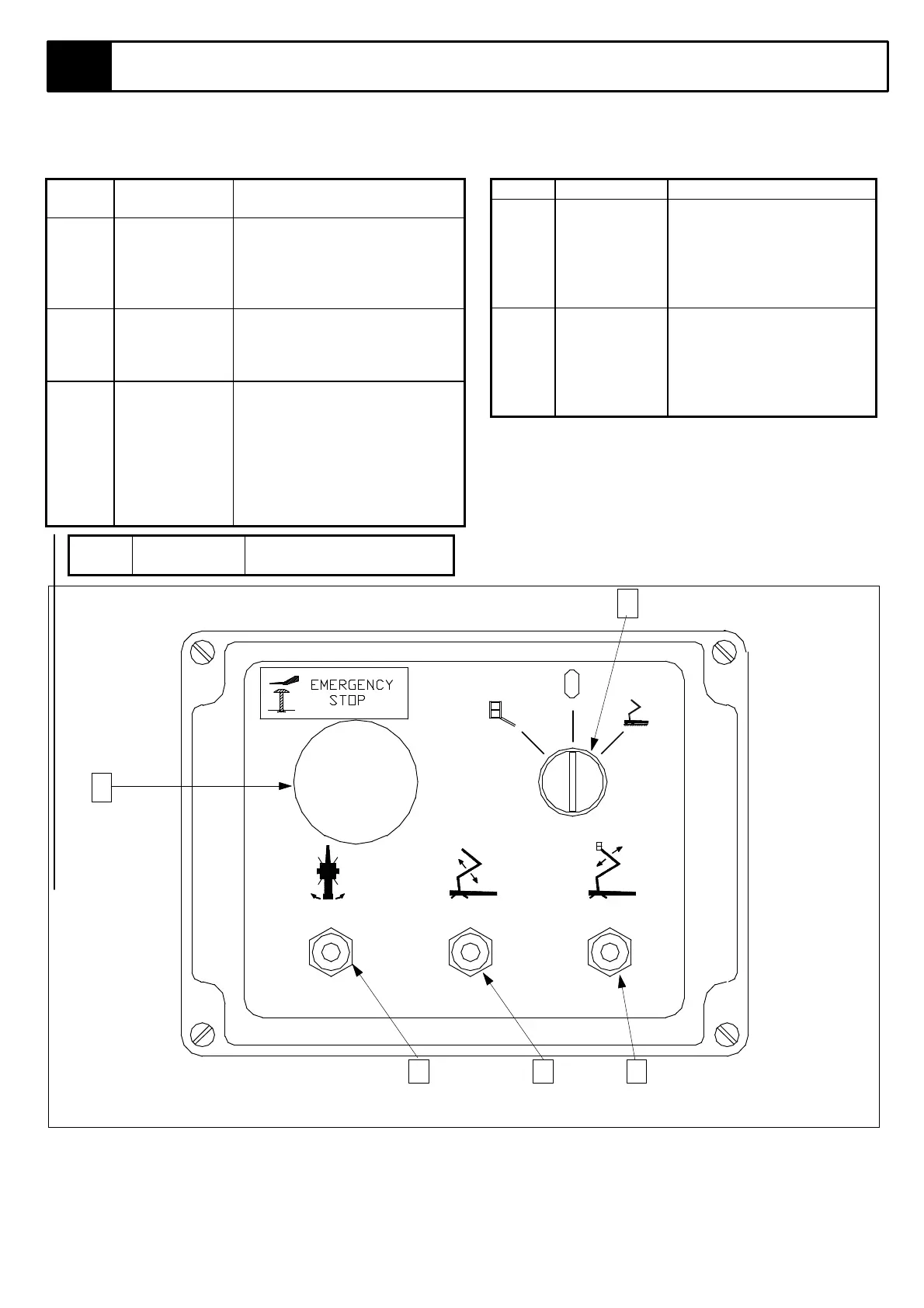
3.2 Controls and Indicators
Table 3-2: Lower Controls
INDEX
NO.
NAME FUNCTION
1 KEYSWITCH Turn key clockwise to select
control from ground level,
anticlockwise for platform
control and to the centre
position for power ‘OFF’.
2 EMERGENCY
STOP
SWITCH
Push red button to cut off
power to all functions(OFF).
Turn clockwise to release and
restore power (ON).
3 ROTATION
CONTROL
Move switch to left for
‘ROTATE LEFT’; to the right
for ROTATE RIGHT;. Switch
must be held against spring
pressure while operating. Note
that control is not porportional,
boom will move at a constant,
slow speed.
INDE
X
NAME FUNCTION
NO.
4 BOOM 1
CONTROL
Move switch up to raise
boom no.1, down to lower.
Note that control is not
proportional, boom will
move at a constant, slow
speed.
5 BOOM 2
CONTROL
Move switch up to raise
boom no.1, down to lower.
Note that control is not
proportional, boom will
move at a constant, slow
speed.
NOTE: ALL LOWER CONTROLS OPERATE
AT SLOW, NON-PROPORTIONAL SPEED.
Figure 3-2: Lower Control Box
2
3 4 5
4



 To Next Page