Macintosh 5-3
Configuring ConfigPPP Dialer
1 ConfigPPP is your PPP dialer.
2 Open ConfigPPP and click New...
3 Enter your Port Name and click OK.
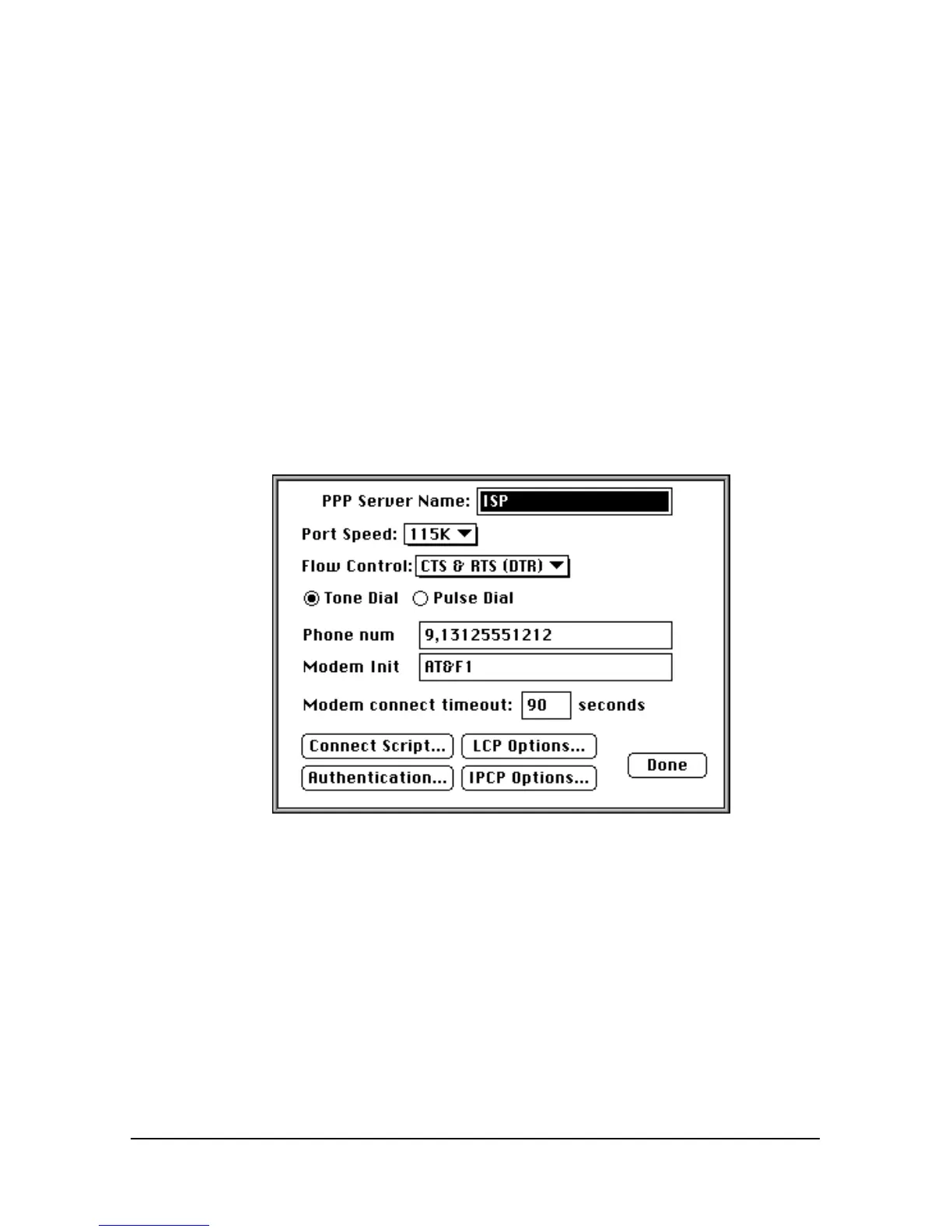
4 Click Config… and set your Port Speed (the fastest speed for MacPPP
is 57.6 kbps), phone number, and modem initialization string.
5 Click Authentication… and enter the user name and password your
ISP assigned you.
6 Click Done.
Dialing With ConfigPPP
In ConfigPPP, click Open. ConfigPPP dials your ISP and establishes your
PPP connection.















 To Next Page