Viewing LEDs 8-1
Chapter 8
Viewing LEDs
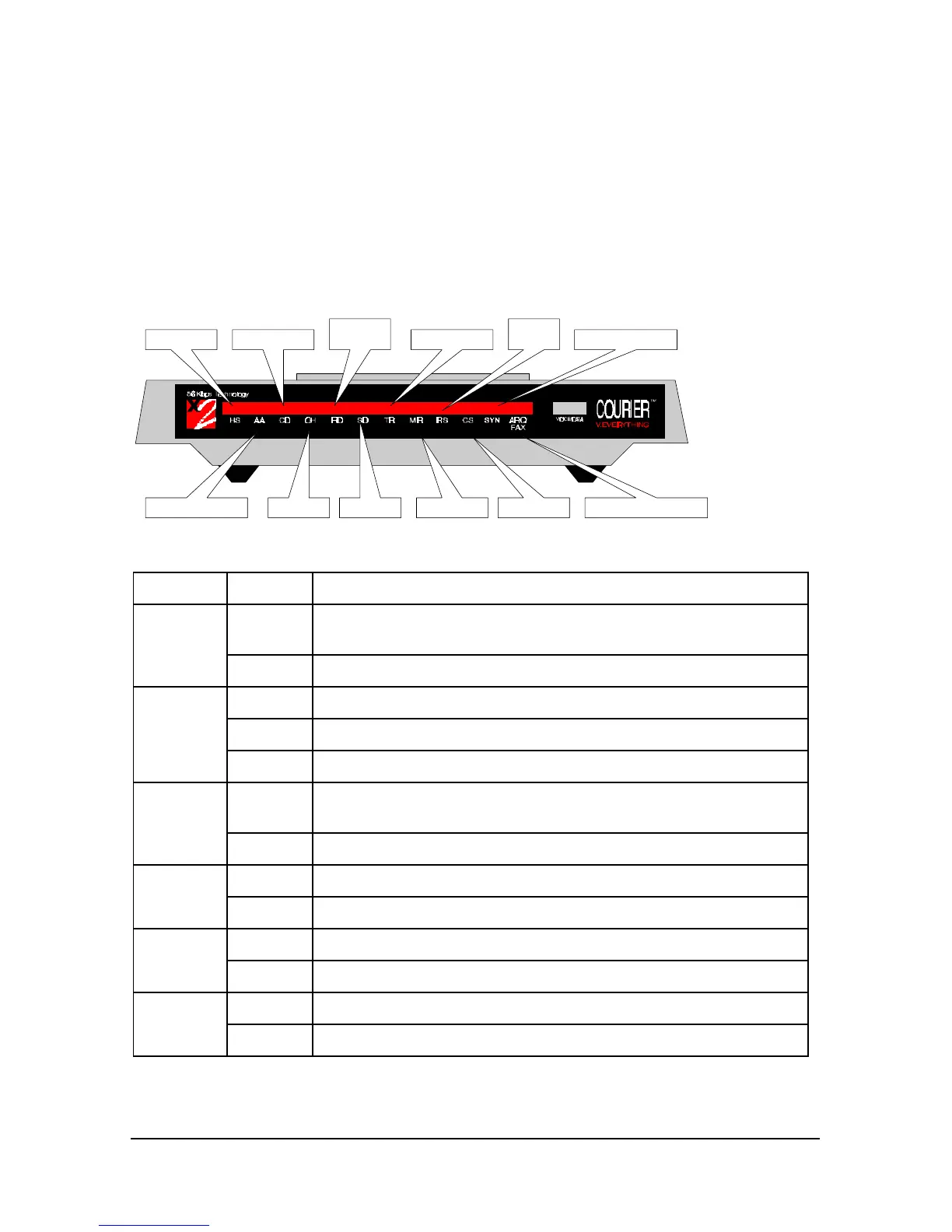
This chapter explains how to view the LEDs on the front of your external
Courier V.Everything modem.
High Speed
Auto Answer Status Off Hook
Received
Data Synchronous StatusTerminal ReadyCarrier Detect
Send Data Modem Ready Clear to Send
Request
to Send
Error Correction and Fax
There are 12 LEDs on the front of your Courier V.Everything.
This LED Status Means your Courier V.Everything
HS On Has made a 4800 bps or faster connection. Once this light is on, it
remains on until reset. This can be configured with S69.
Off Has not made a 4800 bps or faster connection since last reset
AA On Is ready to accept calls
Blinking Has detected an incoming call
Off Is not ready to accept calls
CD On Has detected a carrier from a remote device or carrier-detect has been
forced on (using DIP switch 6)
Off Has not detected a carrier
OH On Has control of the line
Off Does not have control of the line
RD Flashing Is sending data to your computer
Off Is idle
SD Flashing Is receiving data from your computer
Off Is idle















 To Next Page