8-2 Courier V.Everything Getting Started Guide
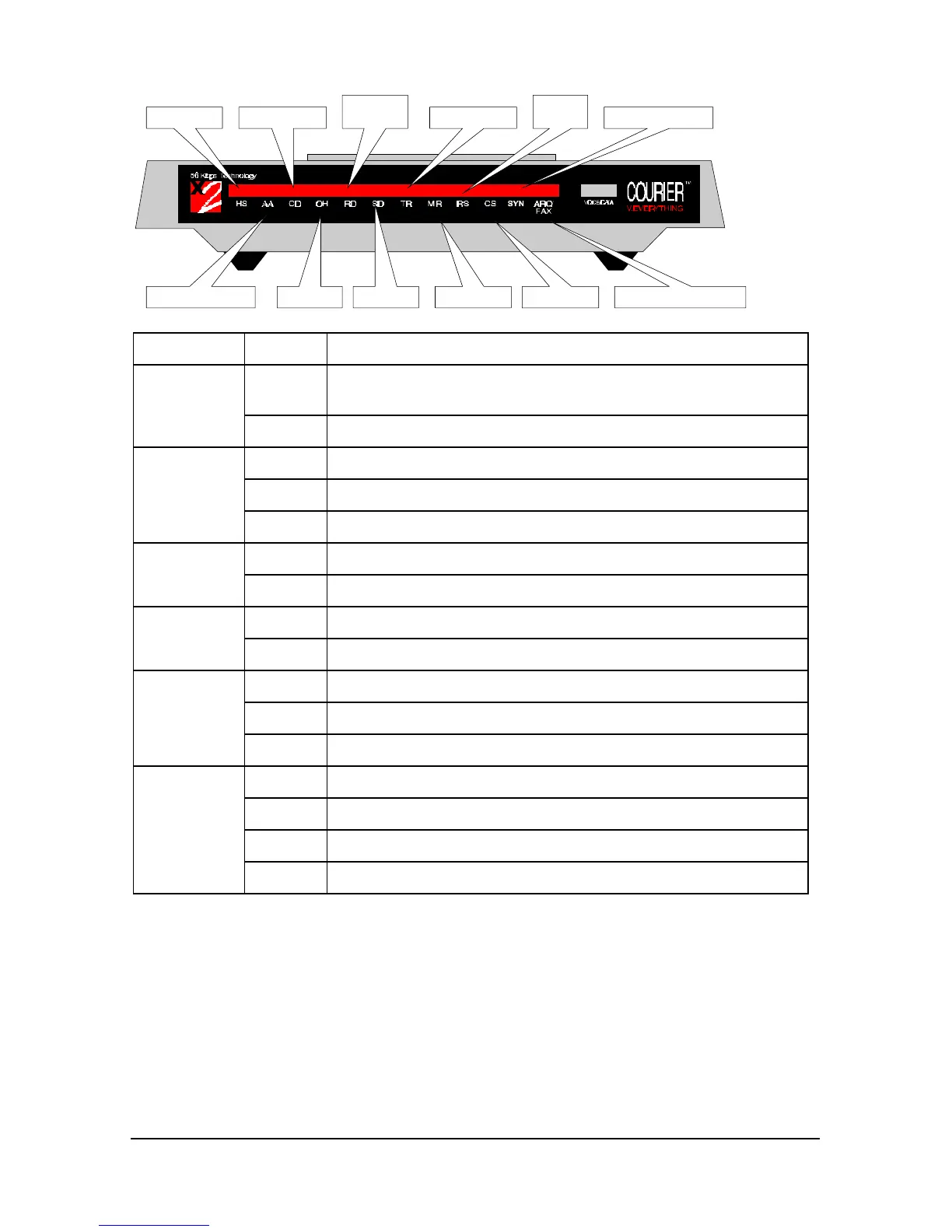
High Speed
Auto Answer Status Off Hook
Received
Data Synchronous StatusTerminal ReadyCarrier Detect
Send Data Modem Ready Clear to Send
Request
to Send
Error Correction and Fax
This LED Status Means your Courier V.Everything
TR On Has received a Data Terminal Ready (DTR) signal from your
computer, or DTR is forced on (using DIP switch 1)
Off Has not detected DTR
MR On Is powered on
Flashing Is retraining with a remote device or is in Test mode
Off Is powered off
RS On Has detected the Ready to Send (RTS) signal from your computer
Off Has not detected the RTS signal from your computer
CS On Is sending your computer the Clear to Send (CTS) signal
Off Is not sending your computer the CTS signal
SYN On Is in synchronous mode
Blinking Has activated Dial Security
Off Is not in synchronous mode/Dial Security not active
ARQ/FAX On Is using V.42 bis error correction
Flashing Is retransmitting data to the remote modem
Blinking Is in fax mode
Off Is not using error control, not retransmitting data, and not faxing















 To Next Page