3-6 Courier V.Everything Getting Started Guide
Step Three: Connecting the Cables
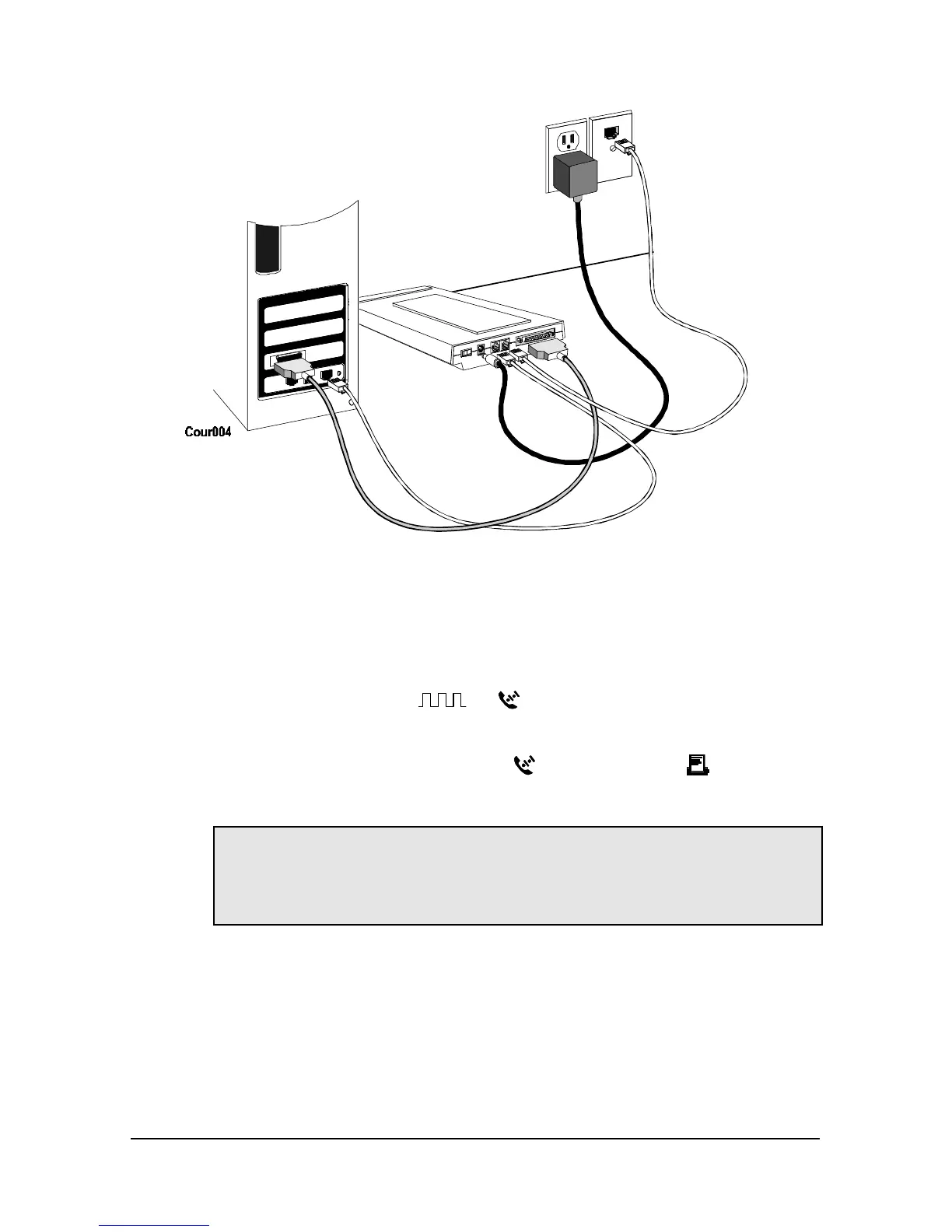
1 After you have selected the correct cable, connect the male DB-25 end
of your serial cable to your Courier V.Everything and the other end to
a serial port on your computer.
If you have an IBM-compatible PC, connect the male DB-25 to your
Courier V.Everything and the other end to COM, RS-232, or with
symbols such as IOIOI,
, or .
If you have a Macintosh, connect the male DB-25 to your Courier
V.Everything and the other end to
(modem port) or (printer
port)
Note: Write down the number of the serial port to which you connect
your Courier V.Everything. If your serial ports are lettered instead of
numbered, A is COM1 and B is COM2. If you cannot find a serial
port, consult the documentation that came with your computer.
2 Connect one end of the phone cable to the wall jack and the other end
to your Courier V.Everything port labeled JACK.
3 If you have a telephone that you’d like to connect to your Courier
V.Everything, plug its cable into your Courier port labeled PHONE.















 To Next Page