8. Setting Up PC Environment Variables
98 Green 16/18 Installation Manual
8.2 Turning off the Firewall
The LAN port and/or local IP can be blocked by the Windows. This can cause
interruptions in imaging acquisitions and data transmissions. For this reason, follow the
steps below to disable the Windows Firewall:
1. Open the Start screen and type Windows Firewall in the search box.
2. Click the Windows Firewall icon to start the Windows Firewall on the search
result.
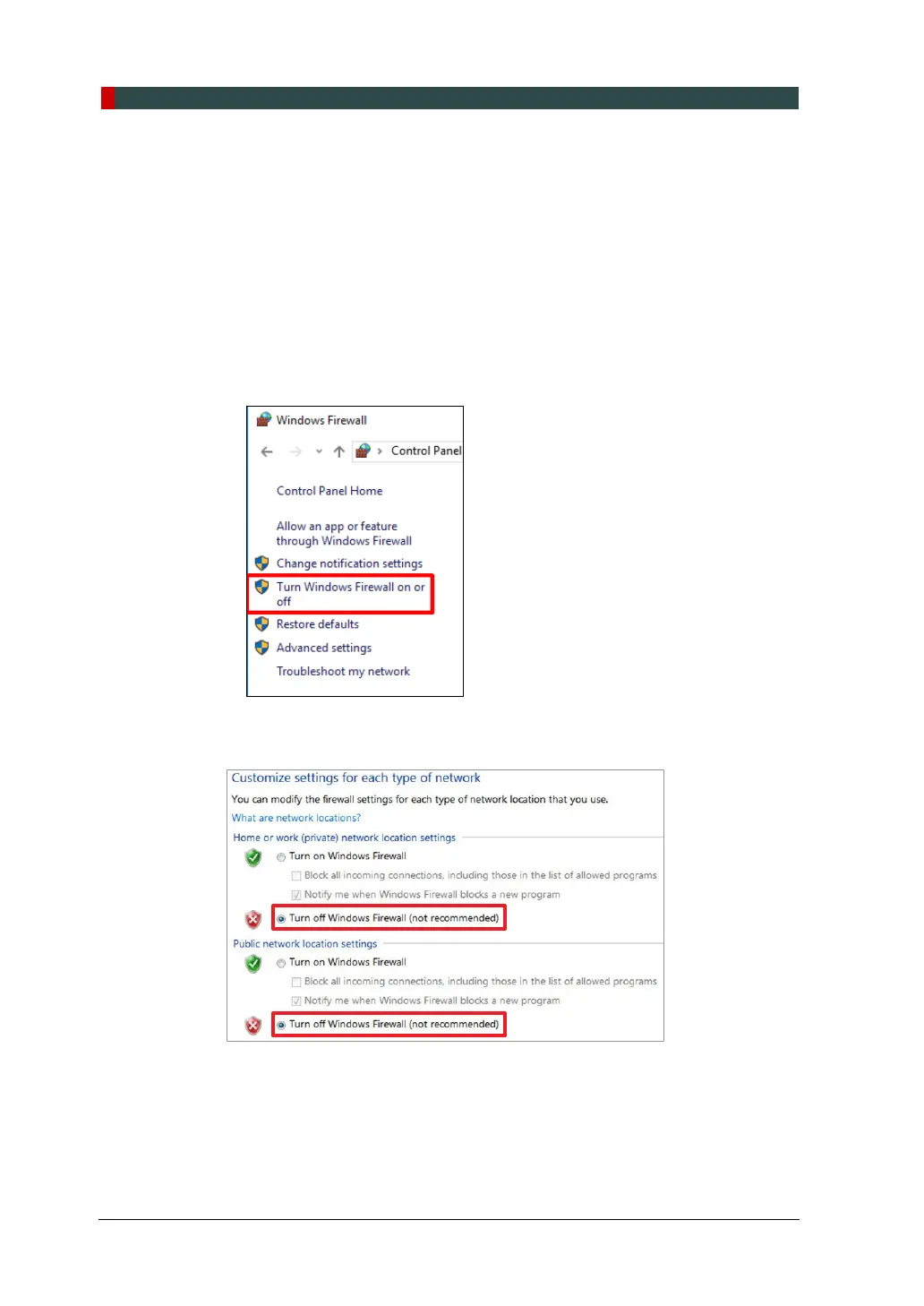
3. On the Windows Firewall screen, click the Turn Windows Firewall on or off.
4. Select the Turn off Windows Firewall for both Home or work (private) and Public
network location settings.
5. Click OK to apply the settings.














 To Next Page