7. Setting Up PC
Green 16/18 Installation Manual 91
In Windows 10, disable Windows Defender
When
Windows Defender is not enabled, Windows 10 is not
protected from malware and virus.
7.3 Disabling Windows Defender
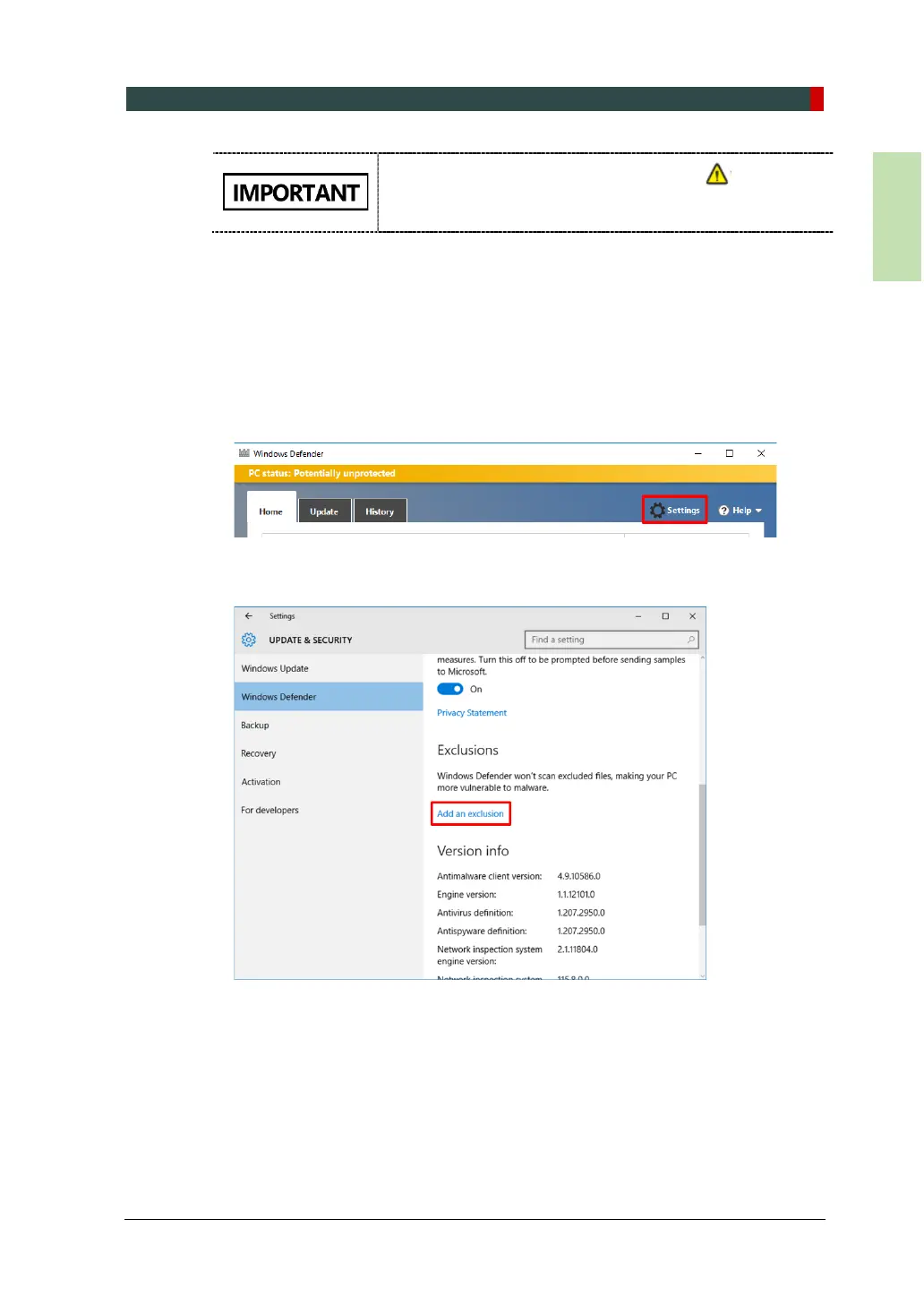
1. Open the Start screen type Windows Defender in the search box.
2. Click the Windows Defender icon to start Windows Defender on the search
result.
3. Click the Settings icon.
4. On the Settings window, click Add an exclusion in the Exclusions section.














 To Next Page