9. Installing Software
128 Green 16/18 Installation Manual
9.6 Disabling the Packing Mode
When it is shipped for the first time, your equipment might be in packing mode. Disable
the packing mode before starting the operation. If the packing mode is still active, the
equipment will not work, even when turning on the power.
Follow the steps below to disable the packing mode:
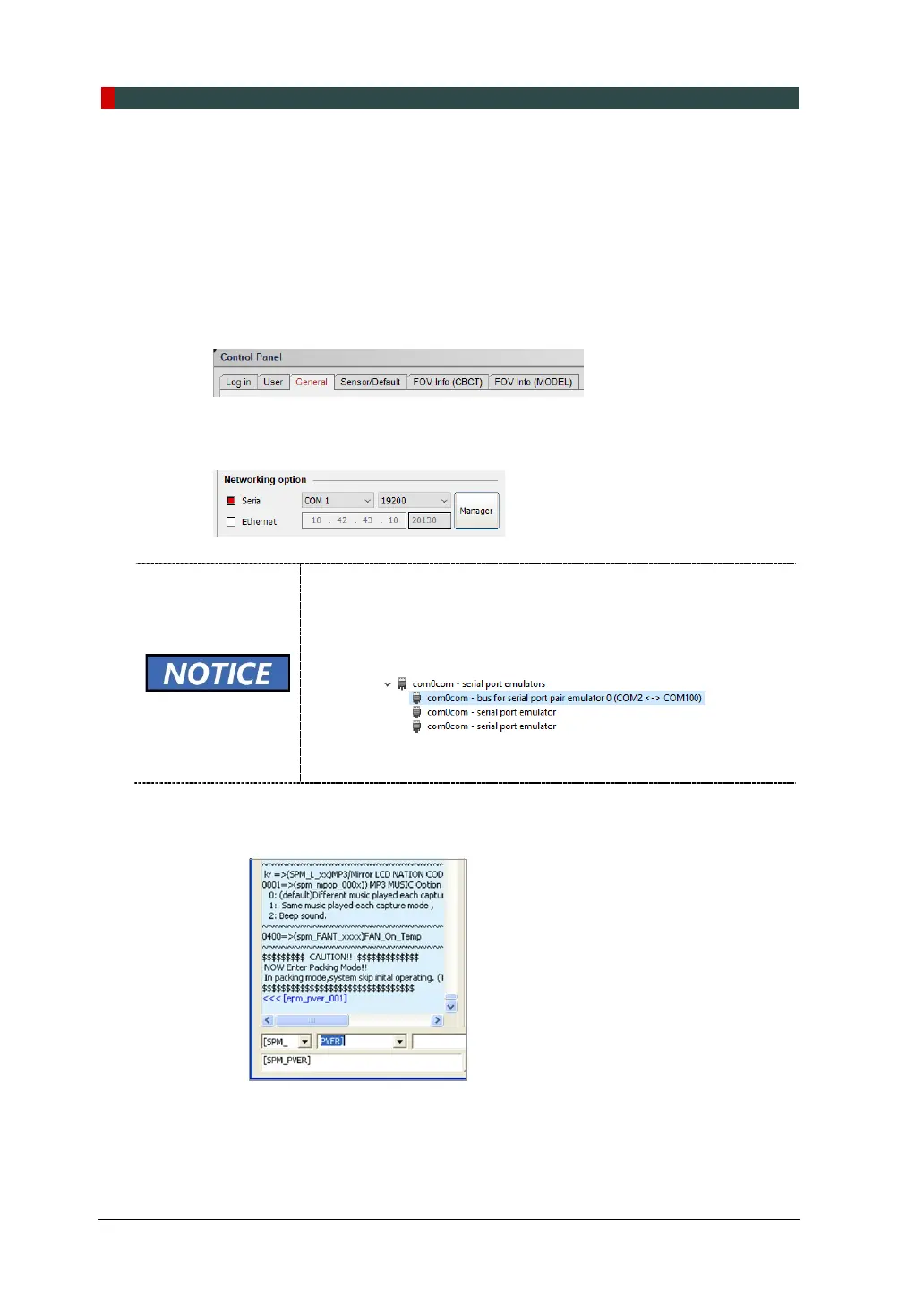
1. Click the General tab on the Setting window.
2. Go to the Networking option and check if the serial port and baud rate are set as
the image below. Click Manager to confirm the settings.
3. Enter PVER] to verify current mode. Note that the equipment is in packing mode.
When an error occurs during the connection, check if the COM port
setting is correct as of the followings:
A. Start Device Manager.
B. Check if the COM port is assigned to a virtual serial port
under com0com – serial port emulators:
C. If necessary, change the COM port
In the Networking option and click Save.














 To Next Page