9. Installing Software
104 Green 16/18 Installation Manual
9. Installing Software
Skip this section if your PC comes with the equipment. The
PC system provided by VATECH has all software installed
and is ready to use.
9.1 Before Beginning
Before you start the software installation for Green 16/18 on your PC, follow the steps
below:
Turn off the Emergency Stop Switch
Remove the programs from your PC other than the imaging software.
Scan your PC with an antivirus software
Ensure to check that the video card driver for your PC is the up-to-
date version. To check, go to the website: www.nividia.com
Install an image viewer program before installing the console software.
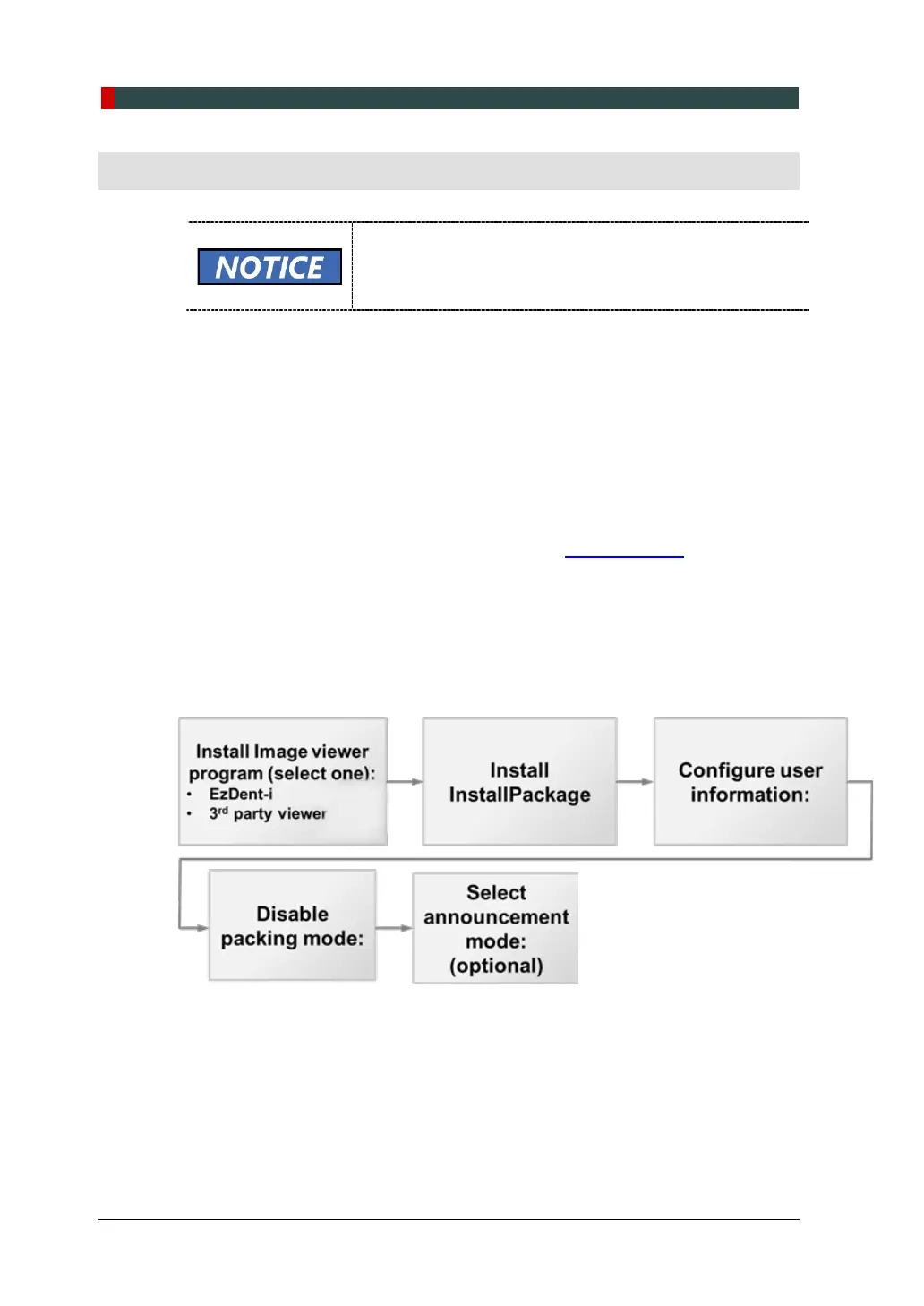
9.2 Software Installation Flow
The software installation workflow for Green 16/18 is illustrated in the flow chart below.
Check the chart to complete the installation in the right sequence:














 To Next Page