6. Completing Miscellaneous Works
88 Green 16/18 Installation Manual
6.3 Installing the Switch Holders
UP / DOWN
Switch Holder
1 pc
(Part No. 2)
UP / DOWN
Switch
Optional - 1 pc
(Part No. 33)
Exposure
Switch Holder
1 pc
(Part No. 33)
Truss Bolt
M4 x 10 – 2 pcs
(Part No. 33)
6.3.1 UP / DOWN Front Cover
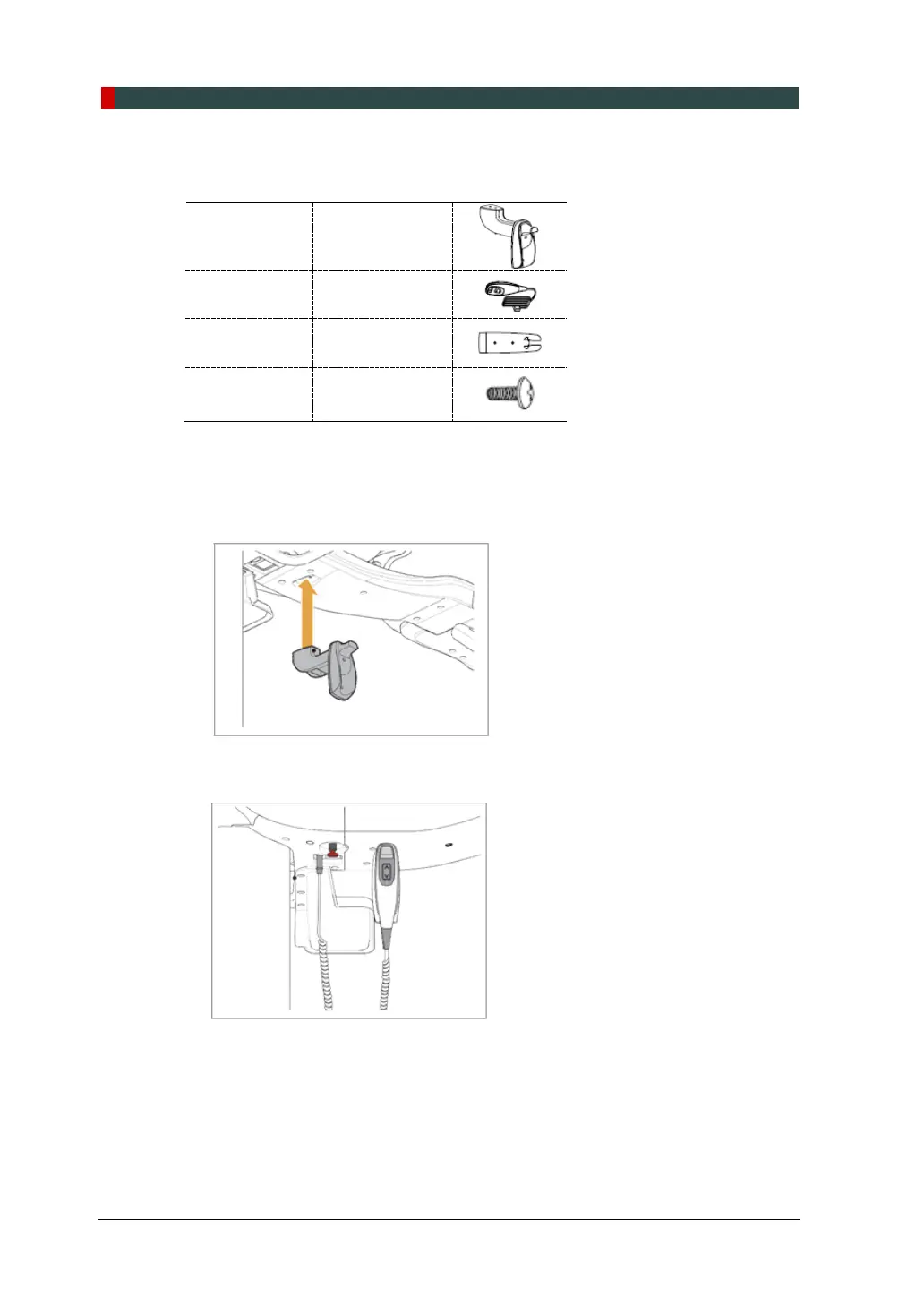
1. Assemble the UP/DOWN Switch Holder on the bottom of the Vertical Frame
with two Truss Bolts (M4 x 10).
2. Connect the UP/DOWN switch to the unit and hang it on the UP / DOWN Switch
Holder
6.3.2 Exposure Switch Holder
1. Locate the Exposure Switch Holder with a sticker and two screws.
2. Install the Exposure Switch Holder on the wall at the appropriate height using two
screws.














 To Next Page