8. Setting up PC’s Environment Variables
Smart Plus (PHT-35LHS) Installation Manual 95
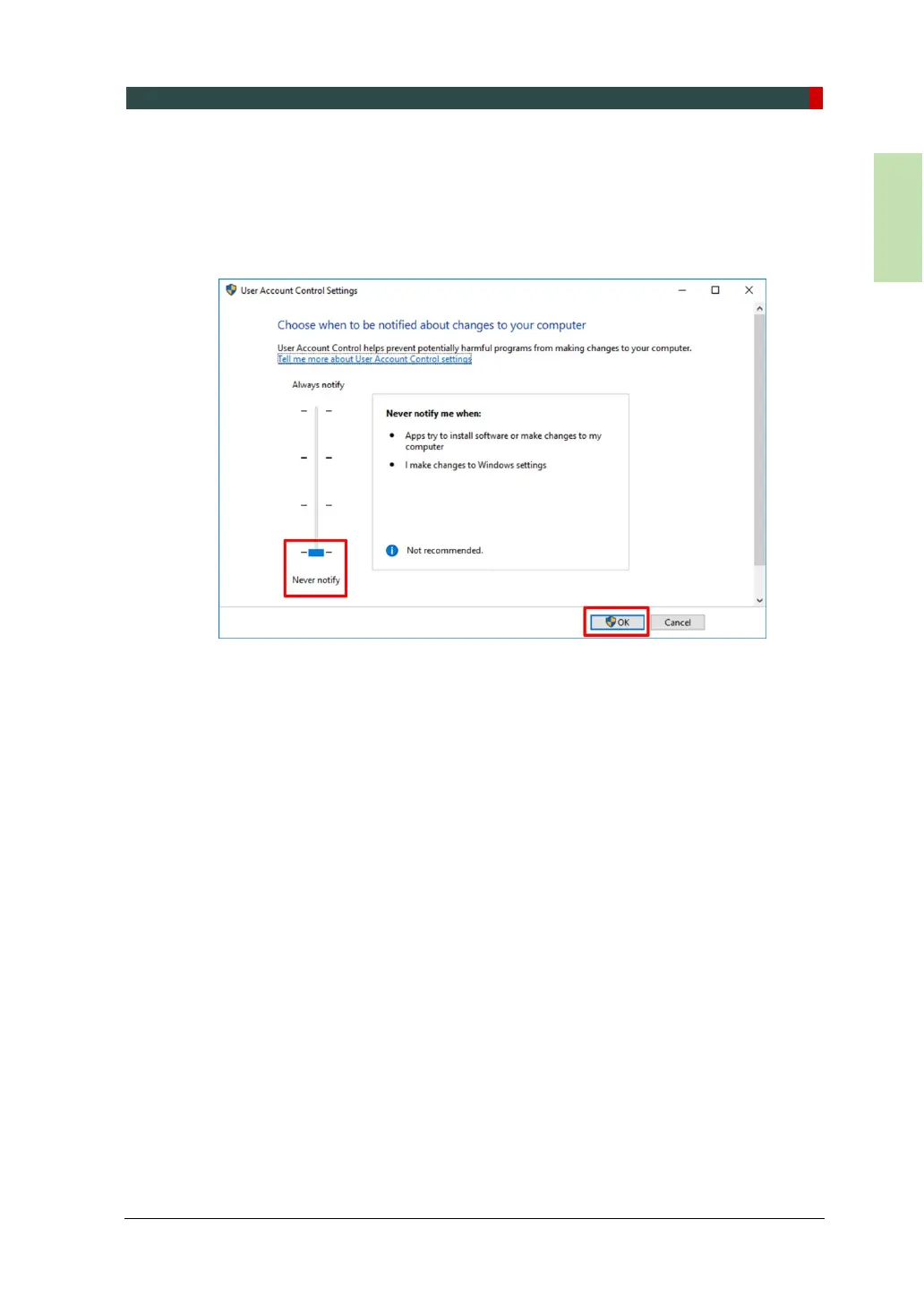
8.4 Turning off the User Account Control
1. Open the Start screen, type User Account Control in the search box.
2. Disable the UAC by moving the slider bar down to the bottom, Never notify.
Then, click OK to apply change settings.














 To Next Page