4. Installing the Equipment: Base Stand (Optional)
44 Smart Plus (PHT-35LHS) Installation Manual
4.2 Installing the CEPH Unit (Optional)
Never hold the areas of the collimator, sensor, and tube
head.
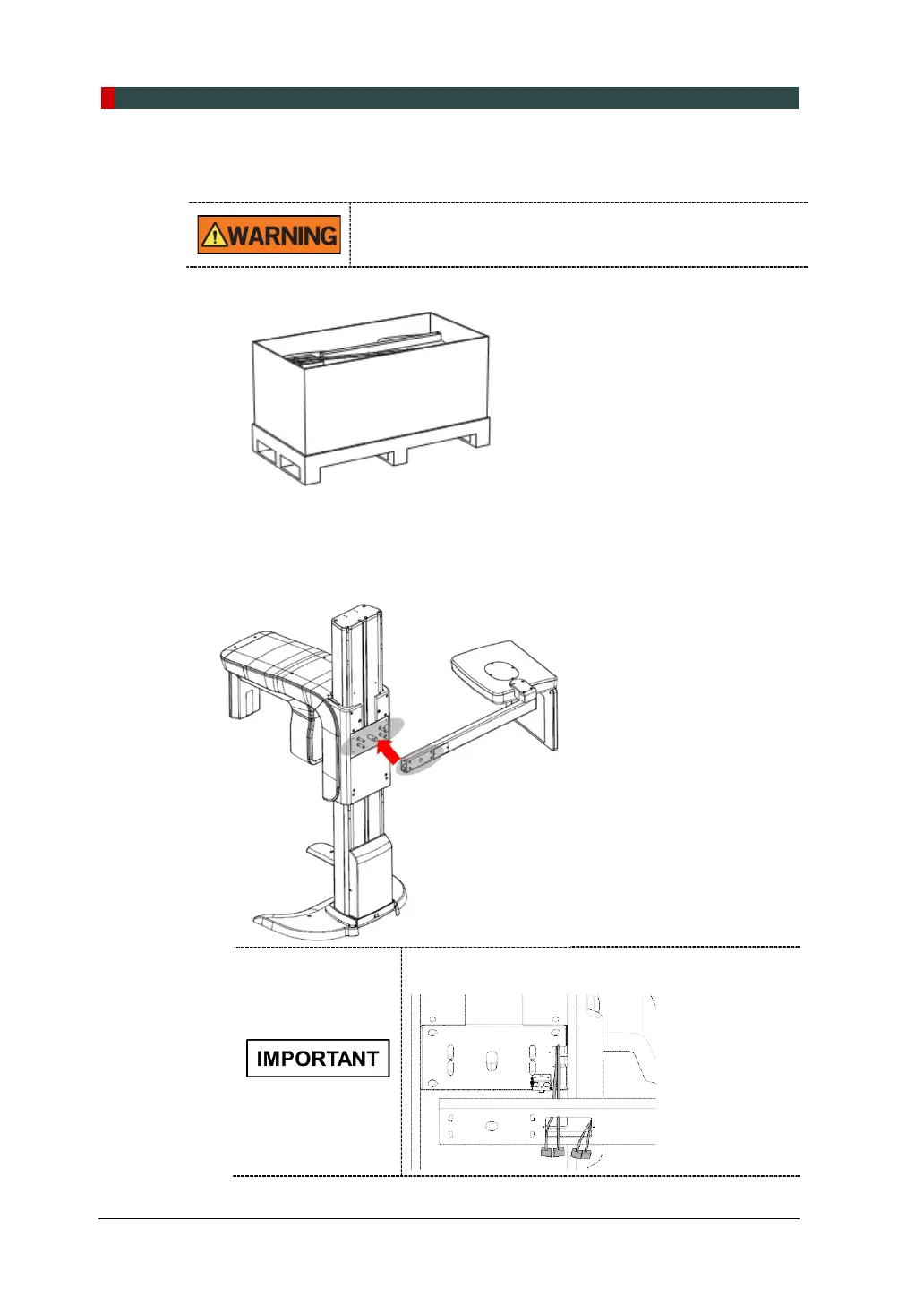
1. Now it is assumed that the CEPH box has already been opened.
2. Remove the plastic wrap covering the column unit and the tape for fixing the
CEPH cables by using a cutter.
3. Move and mount the CEPH unit on the Main Unit carefully, while observing the
insertion state of 4 studs.
Make sure the CEPH cables from the equipment go
through the CEPH armhole.














 To Next Page