VECTRIX VX-2 SERVICE MANUAL
SECTION B-18:
REAR SUSPENSION
Preparations:
Disassemble Motor see Section C-16
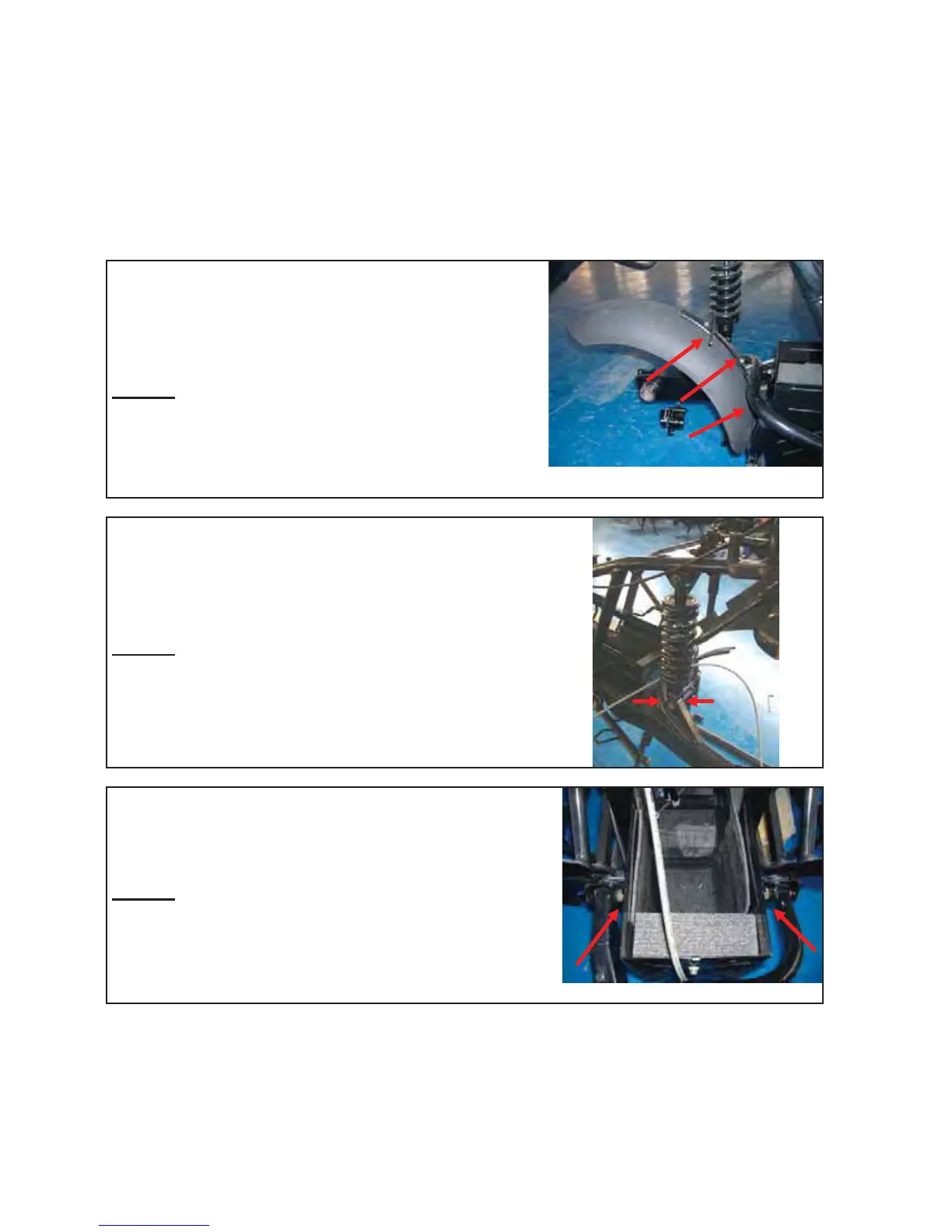
Unscrew 3 inner hex cap bolts and nuts by using an
Allen key 4mm and an open wrench 10mm
Remove the Plastic cover, rear suspension
Remark
:
Put up the back of the battery case on a supporter
Unscrew the nut #1 by using a open wrench 14mm
Unscrew the bolt #2 by using a open wrench 13mm and
remove the bolt
Remark
:
It is not necessary to remove any covers or battery
2
1
Unscrew the two nuts and hexagon bolts by using 18mm
and 19mm open wrench and remove the rear suspension
Remark
:
It is not necessary to remove any covers or battery
Version 1.0/May 2011
VECTRIX, LLC


 To Next Page