VECTRIX VX-2 SERVICE MANUAL
SECTION C-3:
BRAKE SWITCH
Preparations:
Remove Front Fairing see Section B-1
Remove Front Console Cover see Section B-2
Remove Vertical Panel Cover-Lower (for ICM access) see Section B-4
Remove Vertical Panel Cover-Upper see Section B-5
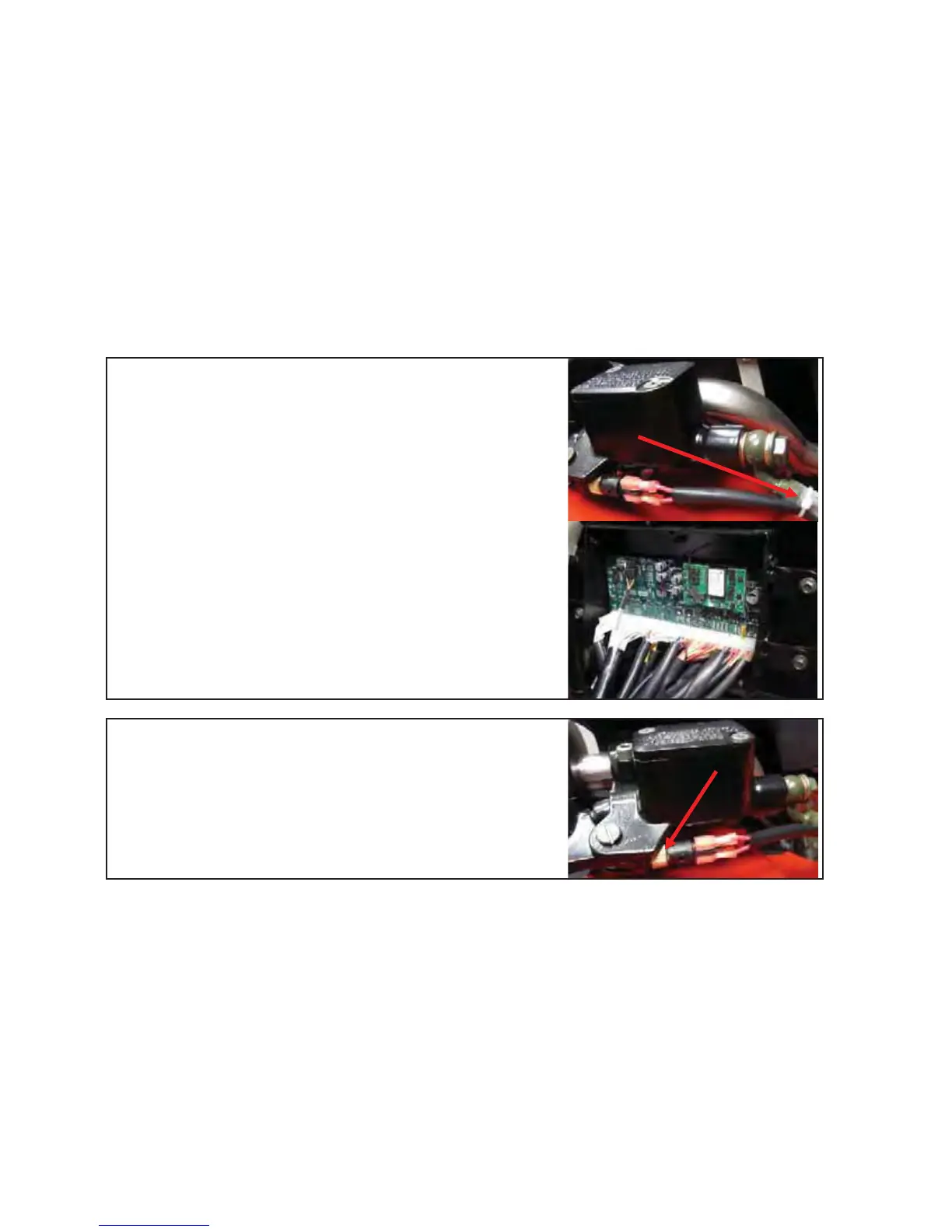
Remove all cable strips (1)
Remove connector from the Interface Control Module
(ICM)
1
Disconnect both wires at the brake switch connector and
twist out (by hand) the brake switch at the brass coupling
other directions Assemble all parts in the
Test functions of Brake Switch assembly
Version 1.0/May 2011
VECTRIX, LLC


 To Next Page