© 2009 Verizon. All Rights Reserved.
98
Verizon Hub User Guide
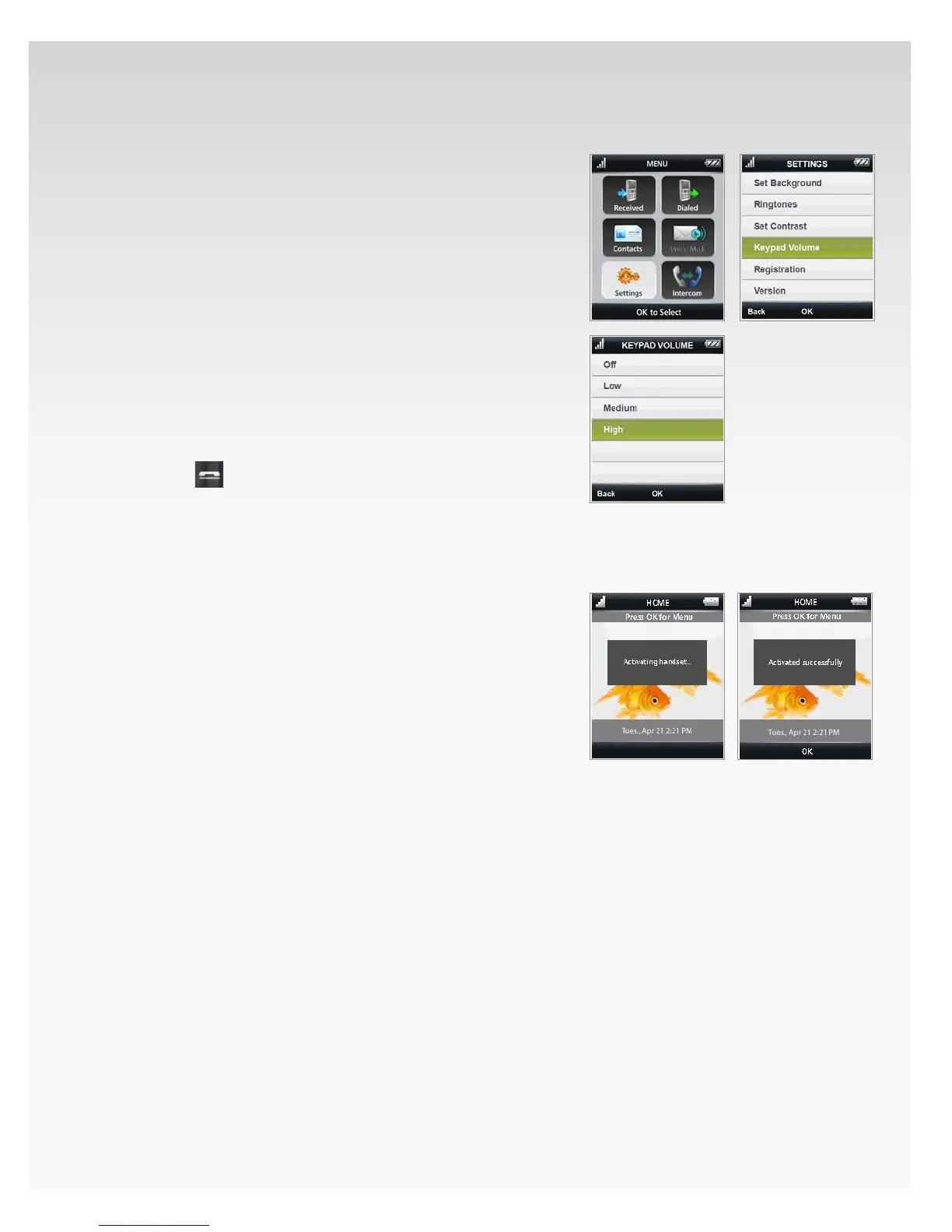
Keypad Volume.
Press 1. OK to open Menu.
Move the OK Button/Joystick to select 2. Settings and
press OK.
Move the OK Button/Joystick to select 3. Keypad Volume.
Press OK.
Move the OK Button/Joystick to select your preferred 4.
keypad volume level:
O• .
Low• .
Medium• .
High• .
Press 5. OK.
Press6. Back to return to the previous screen.
Press7.
to return to Home.
Registration.
Activate Handset Automatically.
With the screen facing outward, place the cordless 1.
handset in the cradle of your Verizon Hub base.
A beep tone will indicate it’s connected.2.
You will see “Activating handset...” displayed on 3.
the handset screen, followed by the message
“Activated successfully.”
The handset Home screen will appear to indicate 4.
activation has been fully completed.


 To Next Page
 Loading...










