© 2009 Verizon. All Rights Reserved.
69
Verizon Hub User Guide
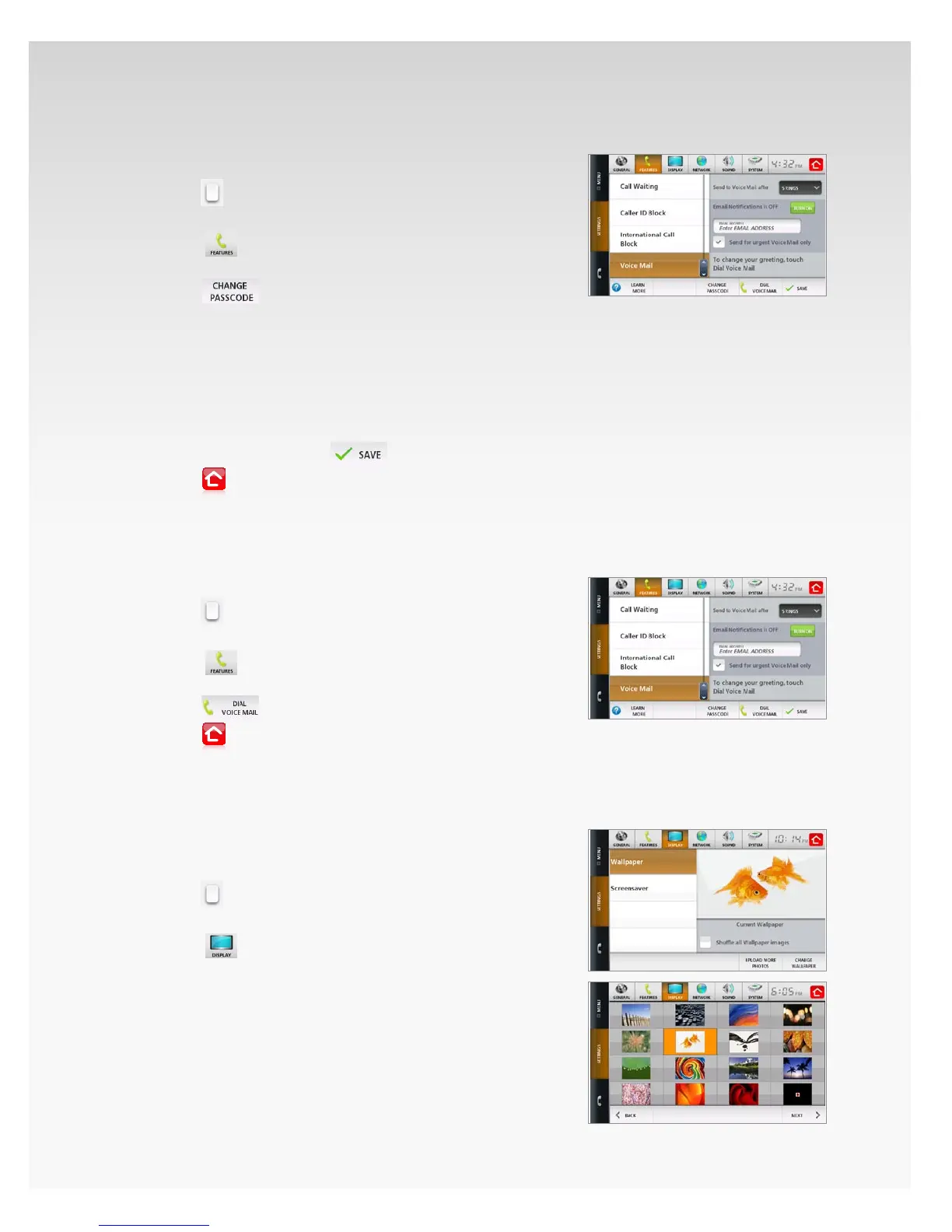
Change Voice Mail Passcode.
Touch 1. Menu.
Touch2.
.
Touch 3. Settings.
Touch 4.
.
Scroll to and then touch5. Voice Mail.
Touch6.
.
Touch 7. Enter Old Passcode – the keyboard will appear.
Use the keyboard to enter the 8. Old Passcode, then
touch Enter.
Repeat steps 7 and 8 for:9.
New Passcode• .
Conrm New Passcode• .
When you’re done, touch10.
.
Touch11.
to return Home.
Your new Passcode has been activated.
Change Voice Mail Greeting.
Touch 1. Menu.
Touch2.
.
Touch 3. Settings.
Touch4.
.
Scroll to and then touch5. Voice Mail.
Touch6.
and follow the voice prompts.
Touch7.
to return Home.
Display.
Wallpaper.
Change Wallpaper.
Touch 1. Menu.
Touch2.
.
Touch 3. Settings.
Touch4.
.
Touch 5. Wallpaper.
The current Wallpaper will appear.6.
If you want to rotate your Wallpaper images, touch the 7.
checkbox next to Shue all Wallpaper images.
Note: The Wallpaper will change every 20 minutes.
Touch 8. Change Wallpaper.
Touch the Wallpaper you want, and it will automatically 9.
appear on your Verizon Hub.














 To Next Page