© 2009 Verizon. All Rights Reserved.
100
Verizon Hub User Guide
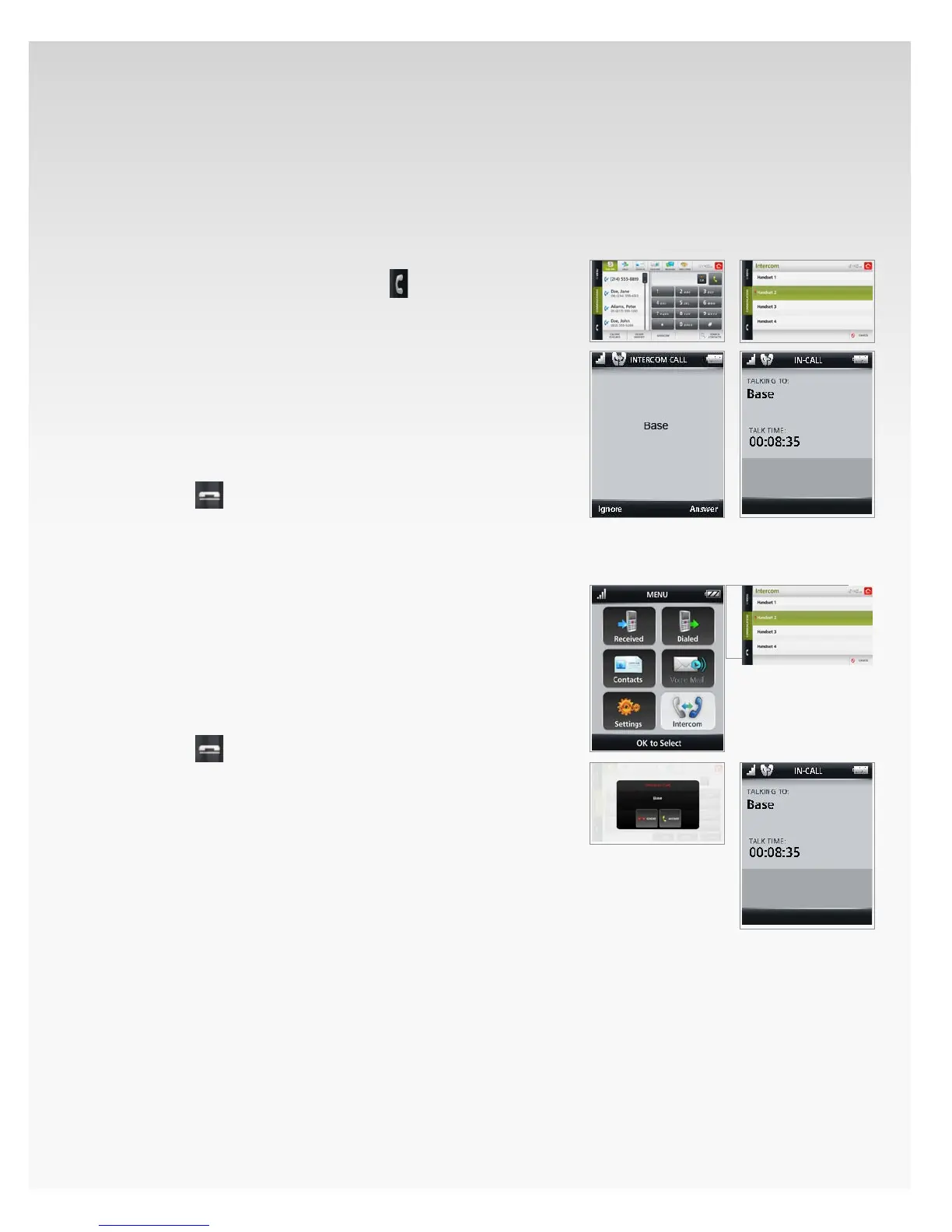
Intercom.
You can use the Intercom feature to call the handset or the
Verizon Hub base so that you can talk to another person in
your house.
Intercom From Verizon Hub Base to Handset.
From the Verizon Hub base, touch1.
.
The Dial Pad will open.2.
Touch 3. Intercom.
If you have one handset, the handset will be 4.
called immediately.
OR
If you have more than one handset, select the
handset you want to call.
The handset will ring. Press 5. Ignore or Answer.
Press6.
to end call.
Intercom From Handset to Verizon Hub Base.
Press 1. OK to open Menu.
Move the OK Button/Joystick to select 2. Intercom and
press OK.
Base Station3. will already be highlighted.
Press 4. Call.
The Verizon Hub base will ring. Press 5. Accept or Cancel.
Press6.
to end call.



 To Next Page
 Loading...









