© 2009 Verizon. All Rights Reserved.
48
Verizon Hub User Guide
Repeat steps 5 and 6 to enter:7.
Last Name.•
Home Number.•
Cell Number. •
Work Number.•
Touch 8. Change Image.
A selection of images will appear. Touch any 9. image
to select it as the Contact Picture.
Touch10.
.
Touch11.
to return Home.
Add a Member From Contacts.
Touch 1. Menu.
Touch 2. Verizon Relay.
Touch 3. Members.
Touch 4. Add Member.
Touch5.
.
A list of Contacts will appear alphabetically.6.
Touch the Contact you want to add to as a Member.7.
Touch8.
.
Touch any of the blank elds to enter more information.9.
Touch10.
.
Touch11.
to return Home.
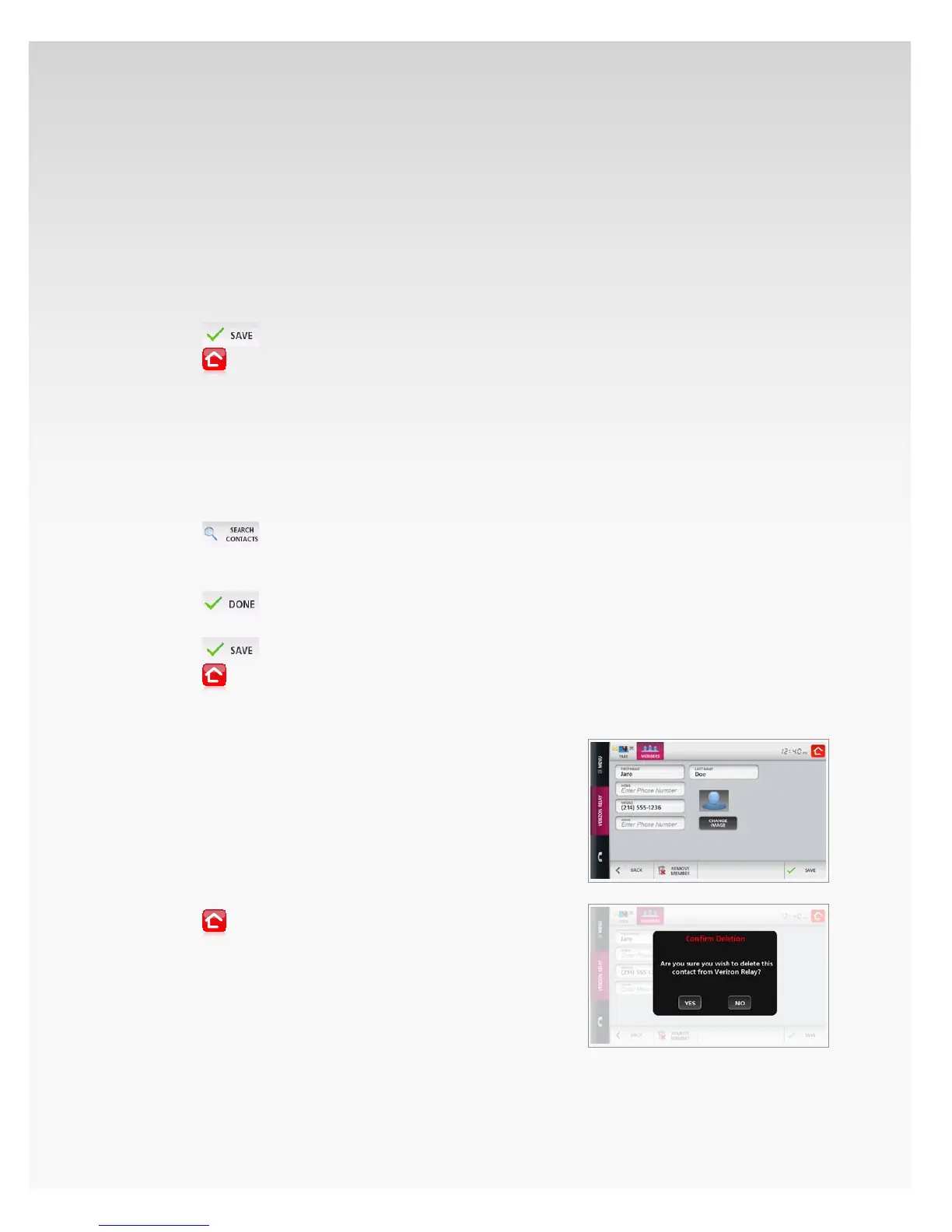
Delete Member.
Touch 1. Menu.
Touch 2. Verizon Relay.
Touch 3. Members.
Touch the 4. Member you want to remove.
The Member’s information will appear.5.
Touch 6. Remove Member.
A conrmation message will appear. Touch 7. Yes.
Touch8.
to return Home.














 To Next Page