© 2009 Verizon. All Rights Reserved.
136
Verizon Hub User Guide
Import Contacts.
You can import contact information from Address Books you
already have in an email program or on a mobile device.
Import Contacts from .csv File
Click 1. Contacts.
Click 2. Import Contacts.
Click 3. Import Contacts from .CSV.
If you haven’t done so already, create a .csv le. See4.
Create a .csv File section of this guide for details.
Click 5. Browse to select the .csv le from your hard drive.
Click 6. Next.
The Contacts from the .csv le will be imported to your
Contacts in the group called Import Contacts.
Create a .csv File.
It’s easy to create a .csv le in a spreadsheet program like
Microsoft® Excel®.
Format le as a table, including a header, or rst line, that 1.
denes the elds in your table.
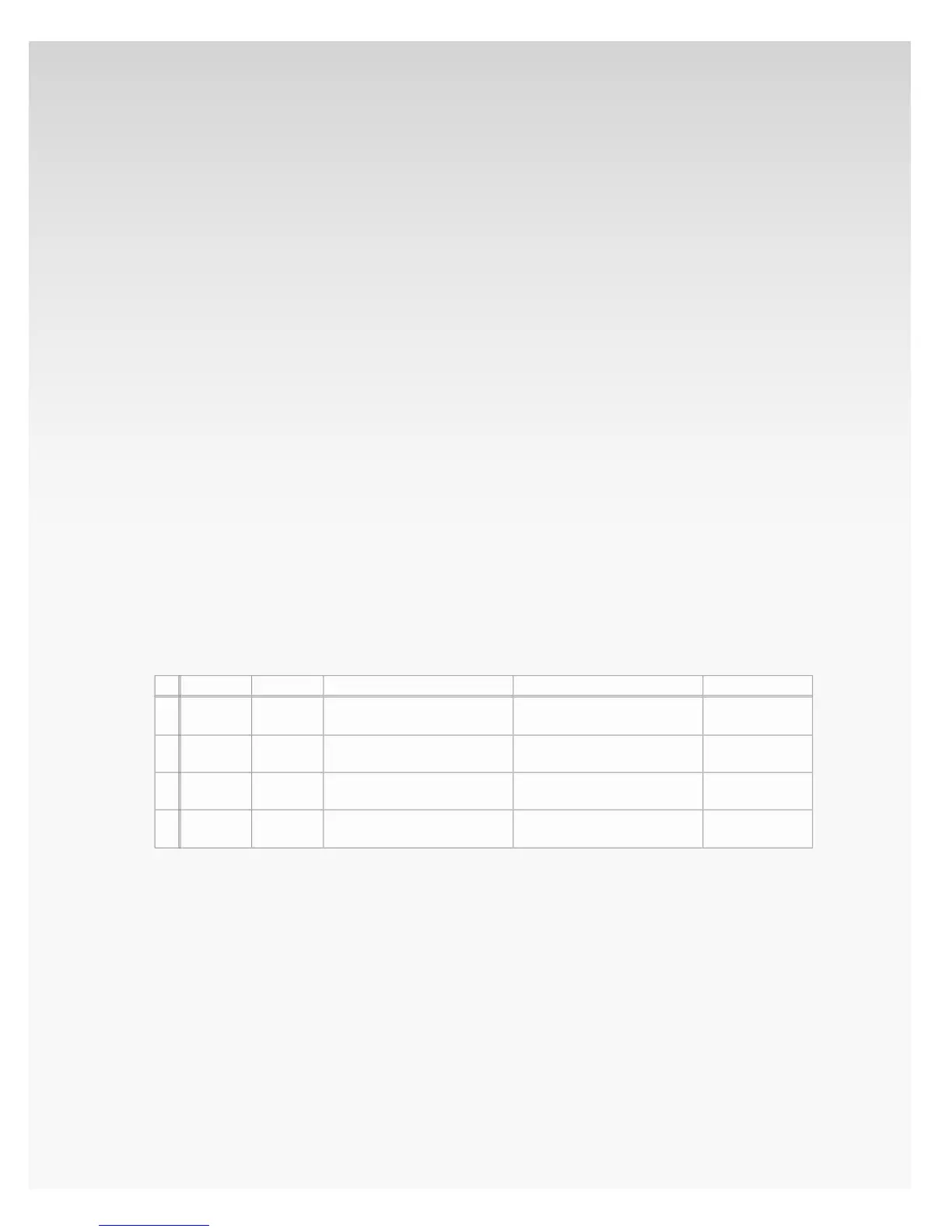
Example:
Once you’ve entered all of your contacts into a table, save 2.
the document and select CSV (.csv) as the type of le
you’d like to save.
If prompted to verify your selection, click 3. Yes or OK.
1
2
3
4
A
First Name
John
Kathy
Mike
B
Last Name
Smith
Jones
Ames
C
Email Address
jsmith@email.com
kjones@email.net
mames@email.net
D
Street Address
55 Main St., Irving, TX 75038
23 Main St., Irving, TX 75038
99 Main St., Irving, TX 75038
D
Phone
214-555-1234
972-555-1234
972-555-5678














 To Next Page